
Audit first
The audit decides whether headless is worth it for your store at all, and lists every plugin that will keep working, need an API or need rebuilding.

WooCommerce · Headless · Next.js
Your products, orders, customers and admin stay in WooCommerce. We build a Next.js storefront on top, connect it through the current WooCommerce APIs, and move your traffic over with your rankings and checkout protected.
Cmsmart Ecommerce, a Netbase JSC division building WooCommerce solutions since 2012.
Headless WooCommerce means WooCommerce keeps running your catalog, cart, orders and admin, while shoppers see a separate storefront, usually built in Next.js, that reads and writes data through the Store API, the REST API or GraphQL. Cmsmart plans and builds that storefront and the migration, scoped and quoted per project.
The APIs in 2026
WooCommerce now ships a public Store API for cart and checkout, cart tokens that work across domains, a checkout total check, and a current authenticated REST API v3. Together they let a Next.js storefront run the full shopping flow while WooCommerce stays the system of record.
| Release | What changed | Why it matters for a Next.js storefront |
|---|---|---|
| WordPress 7.1 and WooCommerce 11.1 | WordPress 7.1 is the current major release. WooCommerce 11.1.2 was released on 22 September 2026 and requires WordPress 7.0 and PHP 7.4 or later. Source: WordPress 7.1 Field Guide, make.wordpress.org; WooCommerce plugin page, WordPress.org (version 11.1.2, requirements). | A headless project starts on a current, supported backend. We upgrade and test WordPress, WooCommerce and your plugins before any API work. |
| Store API (wc/store/v1) | Public, unauthenticated endpoints for customer-facing products, cart and checkout. A Cart-Token header identifies the cart instead of a cookie session. Source: Store API documentation, developer.woocommerce.com; Store API Cart Tokens, developer.woocommerce.com. | This is the API a Next.js storefront uses for the cart and checkout, so shoppers keep their cart across devices and sessions without WordPress cookies. |
| Cart-Token on CORS requests (WooCommerce 9.8) | WooCommerce 9.8 exposes the Cart-Token on CORS-protected requests, so a browser on another domain can read it without a proxy. The nonce is still not exposed. Source: Store API updates coming in WooCommerce 9.8, developer.woocommerce.com. | A storefront on its own domain or CDN can talk to the Store API directly; fewer moving parts between the shopper and the cart. |
| Checkout total check (WooCommerce 11.1) | Store API checkout accepts an optional expected_total. If the charge would differ from what the shopper saw, the request fails with 409 woocommerce_rest_checkout_total_mismatch. Source: WooCommerce 11.1: what is coming for developers, developer.woocommerce.com. | A headless checkout can send the total it displayed and stop a payment when prices, shipping or coupons changed in the meantime. |
| REST API v3 and refunds (WooCommerce 11.1) | v3 is the current authenticated REST API. WooCommerce 11.1 adds server-calculated refunds (compute_totals) and a refunds preview endpoint, and skips block registration on REST, cron and AJAX requests. Source: WooCommerce REST API documentation, developer.woocommerce.com; WooCommerce 11.1: what is coming for developers, developer.woocommerce.com. | Back-office tasks (orders, refunds, stock, ERP sync) stay on authenticated server-side calls; keys never reach the browser. |
| Cart and Checkout blocks | Since WooCommerce 8.3 the Cart and Checkout blocks are the default for new stores; existing stores keep their checkout until they switch. Payment extensions declare block compatibility separately. Source: FAQ: Cart and Checkout blocks by default, developer.woocommerce.com. | Before choosing a checkout option we check each payment and shipping extension you use for block and Store API support. |
| WPGraphQL and WooGraphQL | WPGraphQL 2.23.1 was updated on WordPress.org on 22 September 2026. WooGraphQL (WPGraphQL for WooCommerce) is on its v1.0 line: v1.0.3 shipped on 30 June 2026, and v1.0 aligned its data loaders with WPGraphQL 2.3 and later. Source: WPGraphQL plugin page, WordPress.org; WPGraphQL for WooCommerce releases, GitHub. | GraphQL is an option when the storefront needs flexible queries across content and catalog. We compare it with REST plus Store API per project. |
Decision guide
Go headless when your store needs a storefront the theme cannot deliver, several storefronts on one backend, or speed targets that still fail after hosting and plugin cleanup, and you can run a second codebase. Otherwise, optimizing classic WooCommerce costs less and keeps every plugin working.

| Situation | Stay on classic WooCommerce when… | Go headless when… |
|---|---|---|
| Catalog and design | A theme and the block editor already deliver the design you need. | You need a storefront experience the theme cannot deliver without fighting it. |
| Speed | Slow pages are explained by hosting, caching, images or heavy plugins, and fixing those is enough. | Your Core Web Vitals field data still misses the target after that cleanup, on pages that must stay dynamic. |
| Storefronts | You run one store, in one language, on one domain. | You want several storefronts (regions, brands, B2B and B2C) on one WooCommerce backend. |
| Plugins | The store depends on many frontend plugins: page builders, popups, checkout add-ons. | The frontend needs few plugins, or their logic can move into the storefront or the API. |
| Team and budget | There is no developer to own a second application. | There is budget and a team, in-house or with us, to run two codebases. |
| Content editing | Marketers edit pages in WordPress every day and need what they see to be what ships. | Content can keep living in WordPress as a headless CMS, with a preview step for editors. |
Architecture
WooCommerce stays the system of record for products, prices, stock, orders and customers. A Next.js storefront reads the catalog through REST or GraphQL, runs cart and checkout through the Store API or hands off to WooCommerce checkout, and is served from a CDN close to shoppers.
| Storefront task | API | Note |
|---|---|---|
| Catalog, category and product pages | REST API v3 or GraphQL, called on the server at build or revalidation time | API keys stay on the server; pages can be cached at the edge. |
| Cart, coupons, shipping rates | Store API with a Cart-Token | Designed for customer-facing use without API keys. |
| Checkout | Store API checkout (with expected_total), or a hand-off to WooCommerce checkout | See the checkout options below. |
| Customer account and orders | Store API order endpoint and authenticated server-side calls | Session and login design is agreed in the architecture phase. |
| Price, stock and content changes | WooCommerce webhooks that trigger page revalidation | Keeps cached pages in step with the store. |
| Back office (orders, refunds, ERP, email) | Stays in WooCommerce admin and its plugins; REST API v3 for integrations | Staff keep the screens they know. |
Checkout
There is no single right answer. Choose by your payment and shipping extensions, how much design control you need at checkout, and how much testing you can fund. We check every extension you use before you decide.
| Option | How it works | Fits when | Trade-off |
|---|---|---|---|
| Keep WooCommerce checkout | The storefront hands the cart to the WooCommerce checkout page on your domain or a subdomain. | Your payment and shipping plugins only work on the classic checkout, or speed to launch matters most. | The checkout looks and loads like WordPress, not like the new storefront. |
| Headless checkout on the Store API | The Next.js storefront renders checkout and calls the Store API checkout endpoint. | You want one design from product page to order confirmation, and your gateways support it. | Every gateway and checkout add-on must be tested against the Store API flow. |
| Provider-hosted payment step | The storefront collects the order; the payment provider hosts the card step. | You want a smaller card-data footprint on your own pages. | Shoppers see the provider page for a moment; branding there is limited. |
Scope
Data and back office stay. The customer-facing layer is rebuilt. The audit turns this into a plugin-by-plugin list for your store.
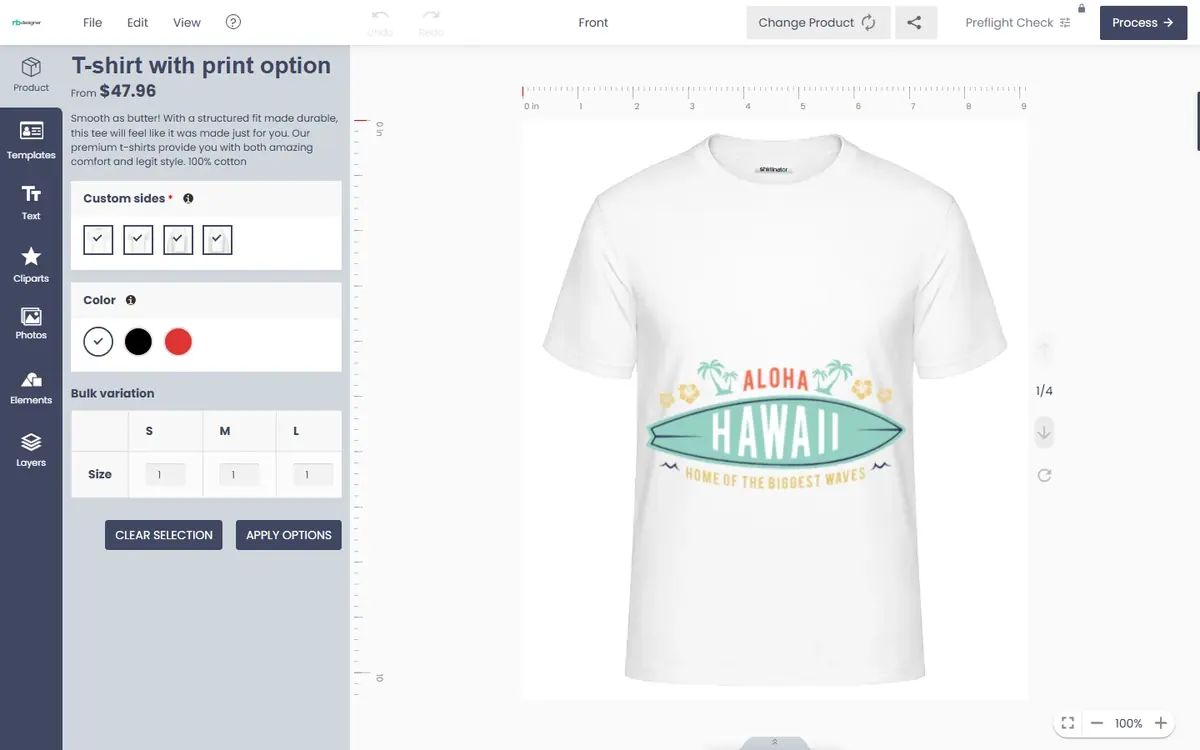
The Cmsmart Product Designer (NBDesigner) runs inside WooCommerce product pages. In a headless storefront it does not move across on its own: we handle it as hybrid or custom development, scoped per project. For example the design step stays on a WooCommerce page, or the Next.js product page opens the designer and returns the design to the WooCommerce cart.
Keep-WooCommerce headless migration
Six phases. Each ends with a deliverable you sign off before the next one starts, and your store keeps selling on the current theme until cutover.
Plugin inventory and classification, URL and traffic inventory from Search Console, Core Web Vitals baseline, integrations list, and a go or no-go recommendation, which can be "stay on classic WooCommerce".
API choice per feature, checkout option, rendering strategy per page type, hosting and CDN, sessions and login, environments, and the inputs for your cost formula.
A URL map from old to new (identical URLs wherever possible, one 301 for every change, no chains), canonical tags, Product and Breadcrumb structured data, sitemaps, titles and descriptions kept in parity, internal links, analytics and consent.
The Next.js storefront in sprints, API extensions and webhooks in WooCommerce, and a staging storefront connected to a copy of your store data.
A content freeze window, a crawl of staging against the live site (status codes, titles, structured data), real test orders on every payment method, the DNS and CDN switch, and a rollback plan with the old theme kept ready.
A support window agreed in your proposal: daily checks of 404s, Search Console coverage, Core Web Vitals field data and order or payment errors, then handover or ongoing support.
SEO practice follows Google's guidance on site moves with URL changes.
The audit decides whether headless is worth it for your store at all, and lists every plugin that will keep working, need an API or need rebuilding.

The URL map and a crawl comparison are signed off before cutover, so Google sees the same pages, titles and structured data at the same addresses.

Test orders on every payment method, a monitored switch, and the old theme ready to restore if a check fails.
Risk checklist
Total cost of ownership
Use this formula with your own numbers to compare headless with optimizing your current theme. Cmsmart quotes the build after a discovery call; there are no fixed packages.
TCO (12 months) = Build
                + Frontend hosting and CDN × 12
                + WooCommerce hosting × 12
                + Paid services × 12
                + Maintenance hours per month × rate × 12
                − Retired licence costs
| Variable | What it covers | Where you find it |
|---|---|---|
| Build | Discovery, architecture, storefront sprints, migration and QA | Your project proposal |
| Frontend hosting and CDN | Monthly plan of the host that serves the Next.js storefront | Host pricing page |
| WooCommerce hosting | Your current or upgraded WordPress hosting | Current invoice |
| Paid services | Search, image CDN, monitoring, plugin licences | Vendor pricing pages |
| Maintenance | Hours per month across two codebases, times the hourly rate | Support plan |
| Retired costs | Theme, page builder and frontend plugin licences you no longer need | Current licences |
Experience
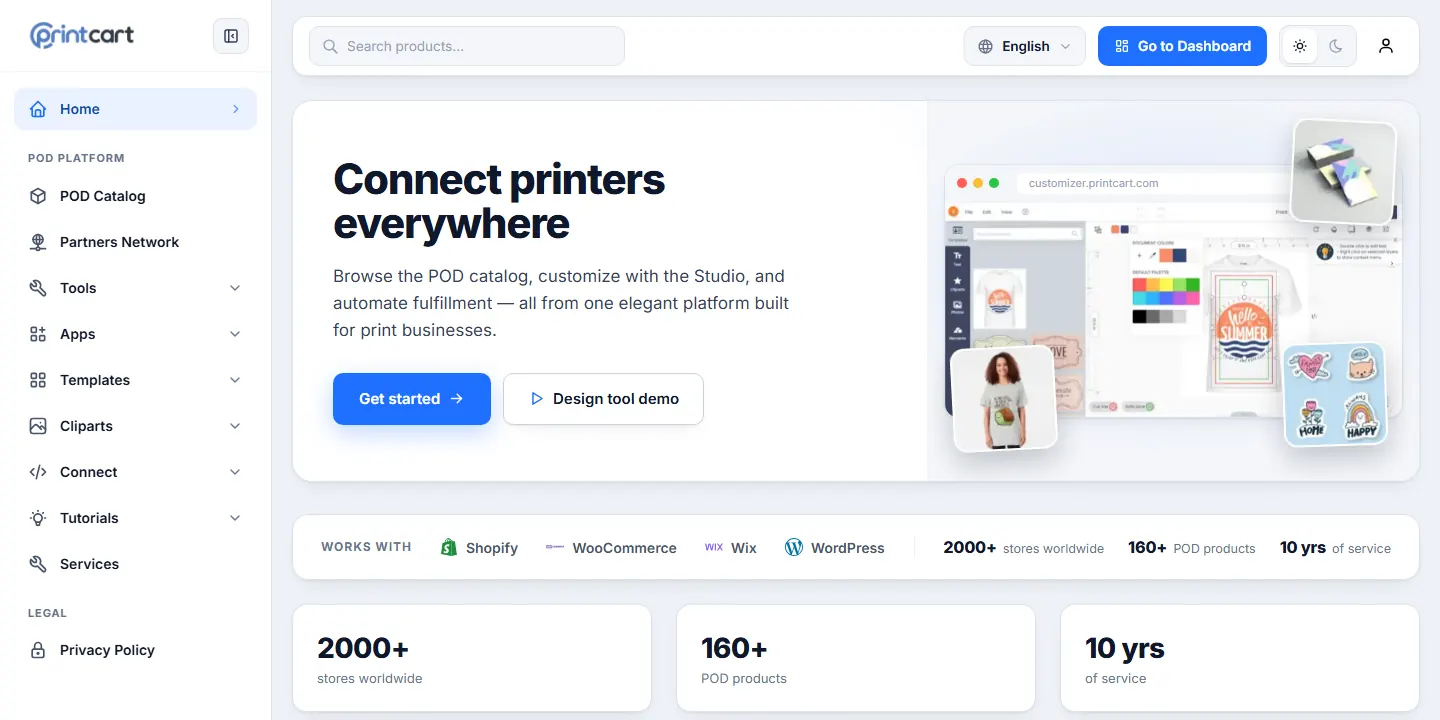
Headless and decoupled WooCommerce builds are part of Cmsmart's custom-development work. The same Netbase JSC team builds Printcart, a web-to-print platform whose public site runs on a Next.js 14 and React 18 frontend that reads its content and catalog from separate APIs.
For WooCommerce merchants, Printcart also publishes the Printcart Store plugin on WordPress.org, so the team works on both sides of the API: the WordPress backend and the JavaScript frontend.
Real numbers, real clients
What we have delivered since 2012, and what customers say about working with us.
Since 2012 · a Netbase JSC company · as of Sep 2026 · source: WorkSuite project records
Rated by customers on third-party sites (as of Sep 2026)
Teams in 80+ countries run their ecommerce projects with Cmsmart
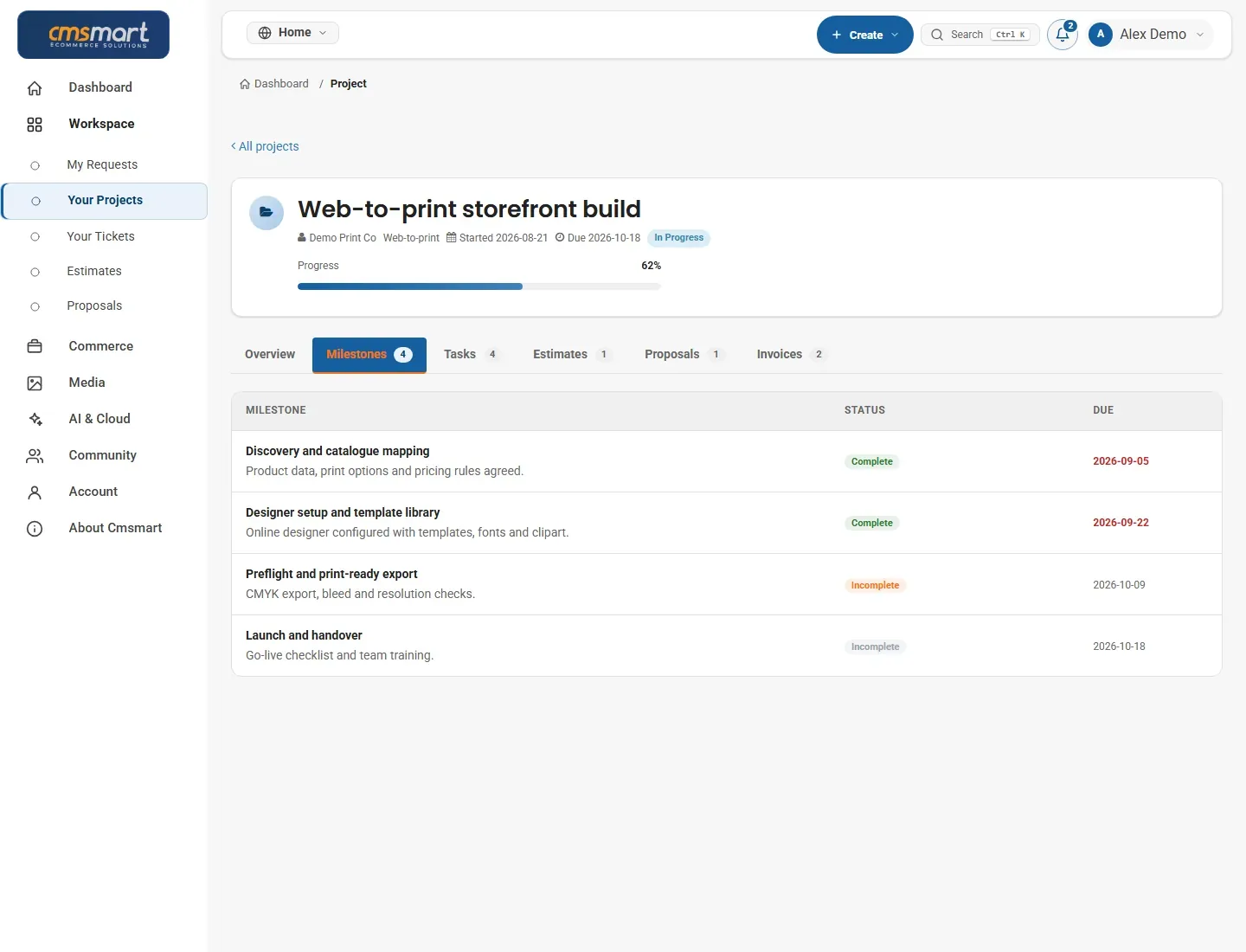
Delivered & maintained with WorkSuite: tickets, tasks, milestones and invoices in one place. See how it works
FAQ
Yes. In a headless WooCommerce build the products, orders, customers, coupons and settings stay in WooCommerce, and your team keeps using WooCommerce admin. Only the storefront that shoppers see is rebuilt, so there is no data migration of your order history.
Rankings are at risk when URLs, titles, content or structured data change. Cmsmart keeps URLs identical wherever possible, adds one 301 redirect for every change, keeps titles and Product and Breadcrumb structured data in parity, crawls staging against the live site before cutover, and watches Search Console after launch.
Usually more than one. The Store API (wc/store/v1) is built for customer-facing cart and checkout and uses a Cart-Token instead of cookies. REST API v3 suits authenticated server-side work such as orders, refunds and integrations. WPGraphQL with WooGraphQL is an option when the storefront needs flexible queries across content and catalog.
Back-office plugins (ERP sync, accounting, email, order export) keep working because WooCommerce still runs. Plugins that only change the storefront, such as page builders, sliders and popups, have to be rebuilt or replaced. The audit classifies every plugin before any build work starts.
There are three options: keep the WooCommerce checkout, build a headless checkout on the Store API, or use a provider-hosted payment step. Each has trade-offs in design control, plugin support and testing effort; we check every payment and shipping extension you use before you choose.
The product designer runs inside WooCommerce product pages. In a headless storefront it is handled as hybrid or custom development, scoped per project: for example the design step stays on a WooCommerce page, or the storefront opens the designer and returns the design to the WooCommerce cart.
It depends on the number of templates, integrations and plugins to replace, so Cmsmart scopes and quotes each project after a discovery call. You receive a written proposal with milestones and an estimate in your Cmsmart dashboard before any work starts.
No. NextCommerce is a separate Cmsmart framework. This service keeps the WooCommerce backend you already run and builds a Next.js storefront on top of it.

Tell us about your store, plugins and goals. You get a written proposal with scope and estimate before any work starts, including an honest answer if headless is not worth it for you.

Cmsmart Ecommerce provides custom ecommerce and WooCommerce development services for web-to-print, product personalization, plugin support and API integration.
Web-to-print, WooCommerce, B2B and AI specialists who plan, build and support stores together.
Meet the team →