

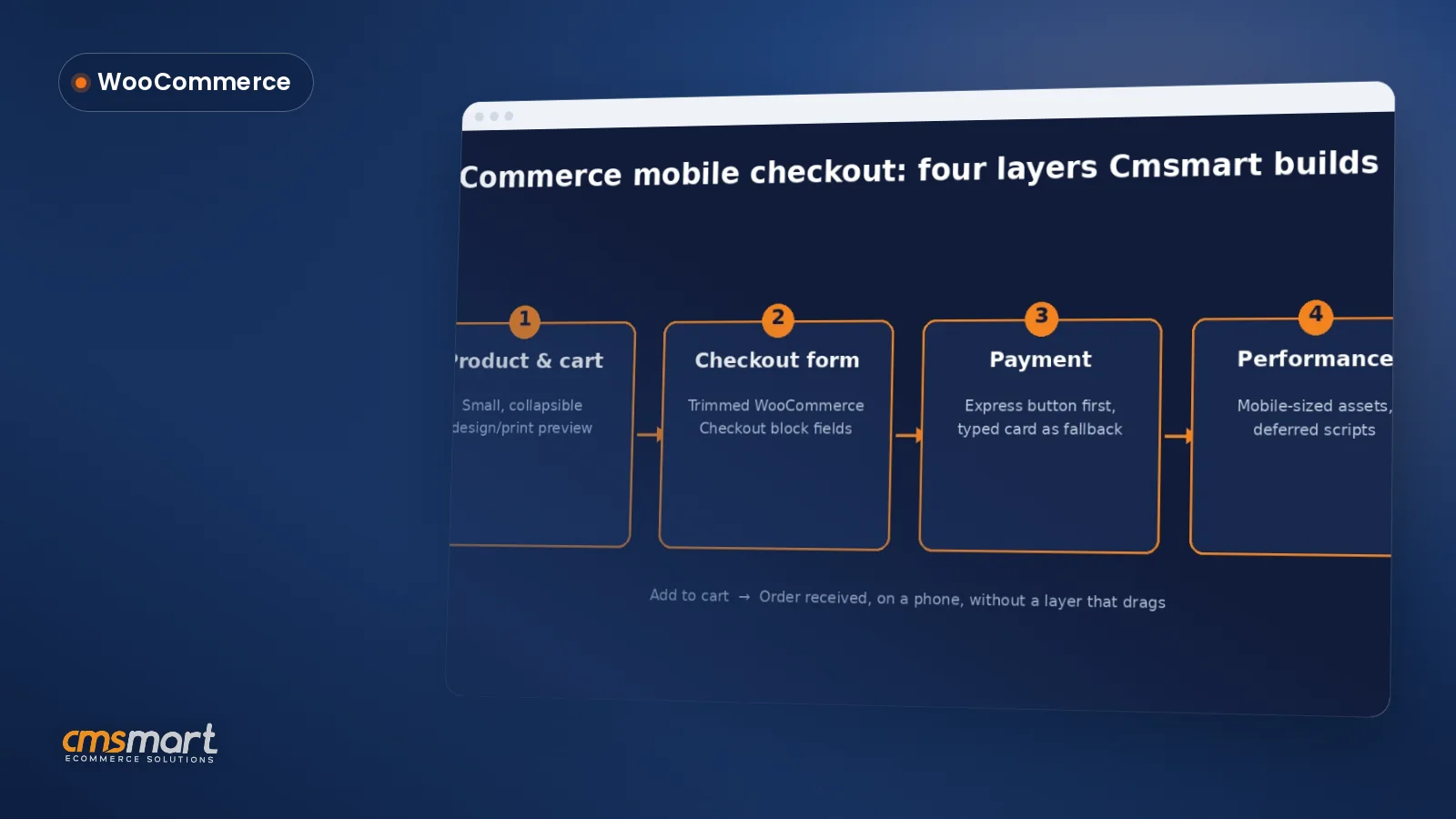
Guide · WooCommerce
WooCommerce Mobile Checkout: Fix the Drop-Off
Fix your WooCommerce mobile checkout before shoppers bounce: cut fields, add express pay, speed up pages, and request a custom build quote today.
Woopanel Frontend manager plugin is the right plugin that you must integrate into your Woocommer Wordpress site. But to install this plugin and it can work smoothly, what are its system requirements?
Table of contents
Was this tutorial helpful?
Written by
Cmsmart WooCommerce Plugins & Themes Specialist
Installs, configures and customises WooCommerce plugins and themes, ours and the market's.
The team behind it
 Account Manager
 Project Manager
 Business Analyst
 Developers & QA
Guide · WooCommerce
Fix your WooCommerce mobile checkout before shoppers bounce: cut fields, add express pay, speed up pages, and request a custom build quote today.
Guide · WooCommerce
Plan a WooCommerce HPOS migration that keeps checkout, plugins and reports working. Get Cmsmart's step-by-step guide and request a quote today.
Guide · WooCommerce
Use this WooCommerce speed optimization checklist to fix Core Web Vitals, hosting, caching and images — then request a performance review from Cmsmart...
Browse more guides, tutorials and case studies from the Cmsmart community.
Learn how to plan a marketplace vendor dashboard for seller onboarding, products, orders, fulfillment, payments, communication and performance reporting.
Read MoreDokan Multi Vendor is the prefect solution for any kind of marketplace business model that requires many specific feature.
Read MoreWhat functions do you usually expect from the Product menu of sales management software? Which function do you most want to have?
Read More
Cmsmart Ecommerce provides custom ecommerce and WooCommerce development services for web-to-print, product personalization, plugin support and API integration.
Cmsmart WooCommerce Plugins & Themes Specialist
Installs, configures and customises WooCommerce plugins and themes, ours and the market's.
Meet the team →



You are a Website owner and you want to get every information in the easiest way to know how your business works well or not right from WordPress front-end. Woopanel Frontend manager plugin is the right plugin that you must integrate into your Woocommer Wordpress site. Do you want to install this plugin and it can work smoothly? What are its system requirements? We will find out in the article below. Here we go!
The first is the platform requirements:
If you want your website to operate stably, Your site must be running on WordPress 3.1 or higher, PHP5.3 or higher, and MySQL 5 or higher.
Recommended PHP Configuration Limits:
Many issues that you may encounter, for example, cannot update the new version, cannot log in admin Online Designer, the selected product shows blank and so on…All these issues are related to low PHP Configuration Limits. The solution is to increase the PHP. You can do this by yourself or ask your website admin.
Please make sure that your server is supported:
Note: This is step by step you can check environment requirements:
If your server does not support you, please call to host manager and ask for support.
Above is some useful information about the System requirement for WordPress WooPanel FrontEnd Manager Plugin. I hope you will like this article. If you want to try this plugin, please click WordPress WooPanel DEMO! If you have any questions about the product, please contact the CMSmart Support team. We will answer all of your questions. Remembering to use coupon code MAR_DL to get 18% discount for this item.
Best regards.