


Guide · Web-to-print
WooCommerce Price Matrix: Price Print Products Online
Build a WooCommerce price matrix with Cmsmart Printing Options to price print jobs instantly, see the ROI, and get a custom pricing engine quote.
Sell personalized products with a WooCommerce product customizer: live editor, print-ready output and AI tools. See the setup steps and plan yours today.
Table of contents
Was this tutorial helpful?
Written by
Cmsmart Product Designer Plugin Engineer
Builds and supports the Cmsmart Product Designer (NBDesigner) for WooCommerce.
Reviewed by David, Founder & CEO
More from this expert →The team behind it
 Account Manager
 Project Manager
 Business Analyst
 Developers & QA
Guide · Web-to-print
Build a WooCommerce price matrix with Cmsmart Printing Options to price print jobs instantly, see the ROI, and get a custom pricing engine quote.
Guide · Web-to-print
Learn how to start a mug printing business with a real online designer, automatic print-ready PDFs, and order tracking. Get your free project plan.
Case study · Web-to-print
Launch photo printing business software on WooCommerce: buyers upload photos, preview designs, and pay, while you get print-ready PDFs. Get a free quo...

Cmsmart Ecommerce provides custom ecommerce and WooCommerce development services for web-to-print, product personalization, plugin support and API integration.
Cmsmart Product Designer Plugin Engineer
Builds and supports the Cmsmart Product Designer (NBDesigner) for WooCommerce. Meet the team behind Cmsmart.

In short
A couple wants a save-the-date card with their names and wedding date spelled out exactly the way they picture it. A team wants hoodies with each player's number. A company wants notebooks that carry its own logo, not a generic one from a catalog. Today, many of those requests still go through an inbox: a buyer describes what they want, someone mocks it up, a proof goes back and forth, and the order waits before it is even priced.
A WooCommerce product customizer turns that email thread into a self-service order: the buyer opens the product page, designs it themselves, watches the price update, and checks out. This guide walks through how Cmsmart Product Designer (NBDesigner) does that today on WooCommerce — with screenshots from the live 2.17.0 demo store — and what Cmsmart builds as custom development when personalization is core to your brand.
What does it cost you to sell personalized products without a customizer?
Every personalized order that depends on a human mock-up costs you designer time, a proof cycle, and a buyer who might change their mind before you earn anything. Cmsmart Product Designer moves that design step to the buyer, so a WooCommerce product customizer lets personalized orders scale without adding staff.
Most stores selling personalized products run into the same five problems:
Put a number on it with your own data: personalized orders per month × designer minutes per order × your hourly cost, plus the orders you suspect you lose because nobody could design online at 9pm on a Sunday.
What would a self-service personalization store look like?
In a self-service personalization store, a buyer opens a product, clicks to design, adds their own text or photo inside the printable area, watches the price update, and pays — all before your team sees the order. Cmsmart Product Designer stores that design with the order so production can start from a print-ready file, not a conversation.
Example scenario
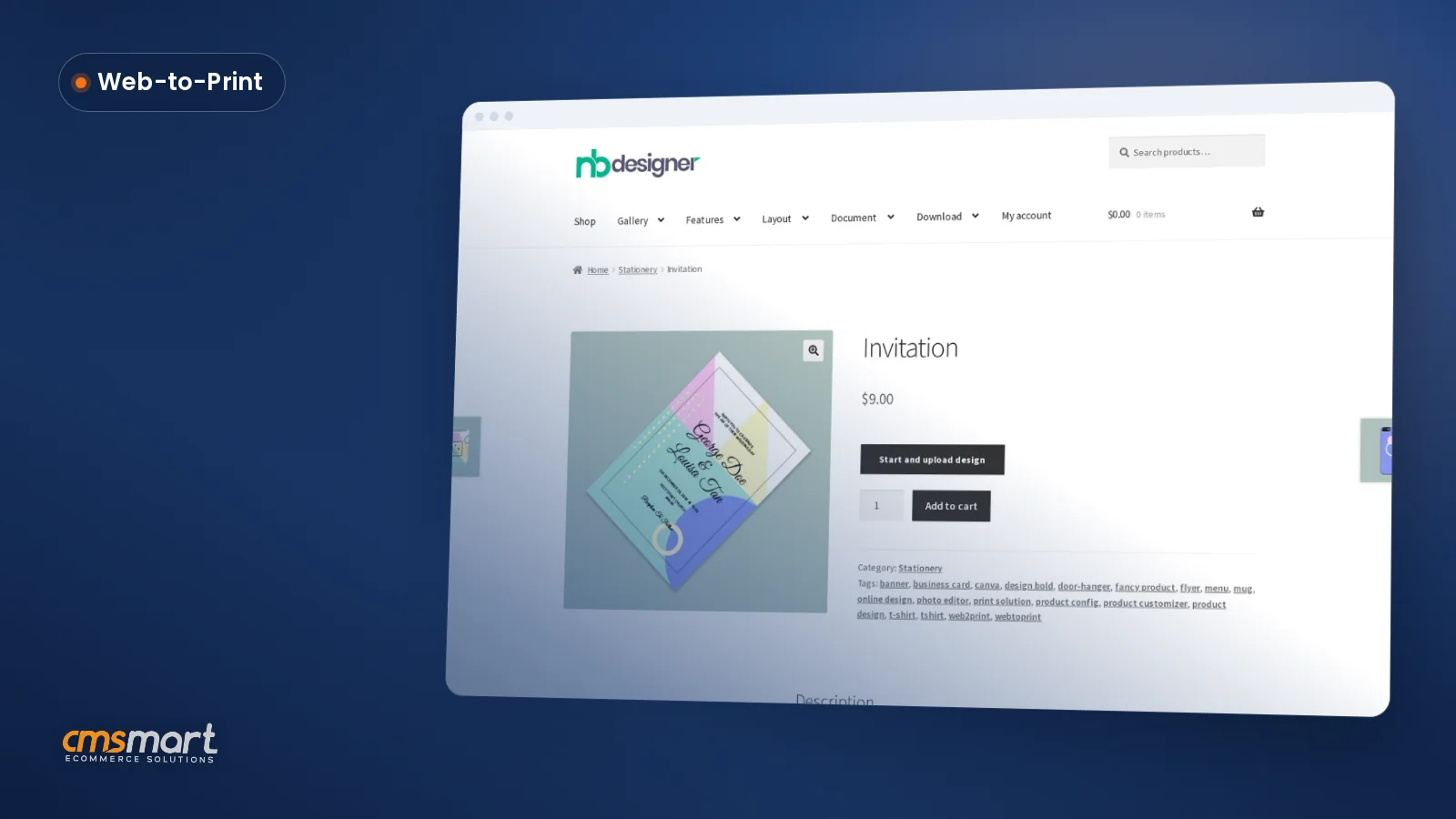
A buyer opens a stationery product on their phone on a Sunday evening. They tap Design here online, pick a template, swap in their own wording and a curved heading, and watch the canvas update live. They click Process, see Your artwork saved next to Add to cart, and check out. By Monday morning the order is sitting in your queue with its print-ready file already attached — no email, no proof round, no guesswork about sizing.
That is the moment personalization is supposed to create, and a WooCommerce product customizer lets your store take it at 11pm as easily as at 11am. Want to plan it for your catalog? Talk to an ecommerce expert.
How does Cmsmart's product customizer solution work?
Cmsmart's product customizer solution combines a visual editor, a product builder for multi-part products, AI tools and print-ready output in one plugin, running on the modern designer interface that is the default layout since recent versions. Cmsmart then builds brand-specific tools, templates and integrations on top for stores where personalization is the core offer.
Customized vs. personalized: a customized product lets a buyer pick from options you define (material, size, color); a personalized product lets them add their own text, photo or logo. Most catalogs need both on the same product page, and NBDesigner's modern editor — with Templates, Text, Cliparts, Photos, Elements and Layers panels on the left — handles both in one canvas.
The text tools go beyond a plain text box: heading presets, font pairings and curved text are built in, so a buyer can get a polished layout without knowing what a font pairing is.
On the production side, the plugin builds the print-ready PDF that matches the order: since 2.17.0, the automatic render reads the same page geometry as the admin's Create PDF button, including a buyer's own custom width and height, so the output file matches what was designed instead of falling back to a template size. Once an order's artwork is approved, the approved-artwork lock stops any further save from quietly creating a new, unapproved version — a shop can still widen that lock for specific cases, but the default is that approved means approved.
Cmsmart insight: test Start Design on a phone before launch, not just on a desktop monitor. The modern layout is built to work down to a phone screen, and the design still has to carry cleanly through cart and checkout — if you only ever test on a widescreen, that is the gap most teams find after launch, not before.
What value and ROI can a product customizer deliver?
A WooCommerce product customizer pays back by cutting manual mock-up time, capturing orders outside office hours, and handing your team a print-ready file instead of a phone photo. With AI tools set to Members, it can also turn design visitors into leads. Track the KPIs below against your own numbers.
The category is growing alongside this behavior shift: the global print-on-demand market — much of it personalized, one-off orders like these — was valued at $12.96 billion in 2025 and is projected to reach $118.85 billion by 2035 (Precedence Research, 2025). That is demand with nowhere to self-serve a personalized order if your product pages still say "email us."
ROI worksheet. Monthly saving = personalized orders × designer minutes saved ÷ 60 × your hourly rate. Monthly upside = extra personalized orders you expect per month × your average margin per order. Use your own numbers — this is a formula, not a promise.
How do I set up a WooCommerce product customizer?
Install Cmsmart Product Designer, enable design on a WooCommerce product, set the design area, and test Start Design the way a buyer would: design, Process, add to cart, check out. A first product takes about one working session; the steps below match what the 2.17.0 demo store does today.
On the admin side, the Customer Design box on the order lets your team review what was ordered, and since 2.17.0 that box also works on the HPOS order screen. More detail on back-end settings and options: the back-end settings guide and the pricing and options guide.
What can Cmsmart build on top of the customizer?
When personalization is your core offer, Cmsmart builds the experience around your products: a branded editor, a product configurator for complex builds, realistic 3D previews, AI design assistants and production integrations. Each is delivered as a custom project with discovery, solution design, sprints, QA, launch and support — not a one-off plugin tweak.
See product designer customization, the ecommerce project delivery model and our web-to-print solutions.
Plan my personalized product store
Why work with Cmsmart for product personalization?
Cmsmart develops the Cmsmart Product Designer and has built ecommerce and web-to-print stores since 2012 as a division of Netbase JSC, so the team configuring and extending your customizer is the same team that builds it.
Our records count 6,300+ client projects and 500+ custom development projects in 80+ countries (WorkSuite project records, Sep 2026), and Cmsmart is rated 4.2 on Trustpilot (404 reviews). Related work: Personalized product ordering and Streamlined custom logo ordering.
Frequently asked questions
Is a product customizer the same as a product configurator?
They overlap. A configurator lets buyers choose from options you define; a customizer also lets them add their own text, photos or artwork. Cmsmart Product Designer does both on one product page.
Does the customizer work on mobile?
Yes — the modern layout is built down to a phone screen, and the Start Design flow carries through cart and checkout the same way it does on desktop. Test it on your own theme before launch.
Can customers upload their own finished design instead of designing online?
Yes. The Start Design chooser offers both: Upload a full design for buyers who already have a file, and Design here online for buyers who want to build it in the editor.
Can I control who uses the AI tools?
Yes. A master switch, a toggle per tool (Background Remover, Image Upscale, Preflight) and an audience setting — Everyone, Members, or customers who have already ordered — decide who can run them, so nobody spends your Cmsmart Cloud balance unexpectedly.
What happens if a buyer edits their design after approval?
The approved-artwork lock refuses the save and shows a clear message; editing is only possible through the proper re-design flow, which creates a new print file and flags the order as changed for your team.
Can I try it before a project?
Yes. Start the free 30-day trial from your Cmsmart Dashboard, or open the live demo store to try the same Start Design flow shown above.
Sell personalized products without a designer on every order
Tell us your products and brand. Cmsmart sets up and customizes the product customizer so buyers design, price and pay online, and your team receives a print-ready file with every order.
Plan my personalized product store Or start the free 30-day trial
Update log: October 2026, rewritten with real-flow captures from the 2.17.0 demo store (buyer flow: product page, Start Design chooser, modern editor, cart, mobile) and product facts checked against the 2.17.0 changelog.