Explore product personalization and 3D preview options for custom-product workflows.
Plan around your store requirements.
Talk with Cmsmart about implementation options.
What you can explore:
- ✅ Product options for configurable products
- ✅ 3D previews for custom-product workflows
- ✅ Implementation options for your store
Want ecommerce updates and resources?
Subscribe for ecommerce updates:
You'll get:
- ✔ Ecommerce tips and product updates
- ✔ Tutorials and service information
- ✔ Personalization and 3D product resources



Introduction: Why Choosing the Right Ecommerce Web Design Company Matters
Choosing an ecommerce website design company requires evidence about platform experience, delivery scope, support and relevant project work. A useful evaluation covers visual design, accessibility, performance, checkout usability and the operational tools the store actually needs.
A strong ecommerce design should:
Check whether the proposed experience is clear, accessible and appropriate for the store’s customers.
Document each proposed AI-assisted feature, its data source, controls, cost and fallback before including it in scope.
Document current capacity, extension points, operating ownership and upgrade requirements for the proposed solution.
Define the supported devices and browsers, then test the required journeys on representative combinations.
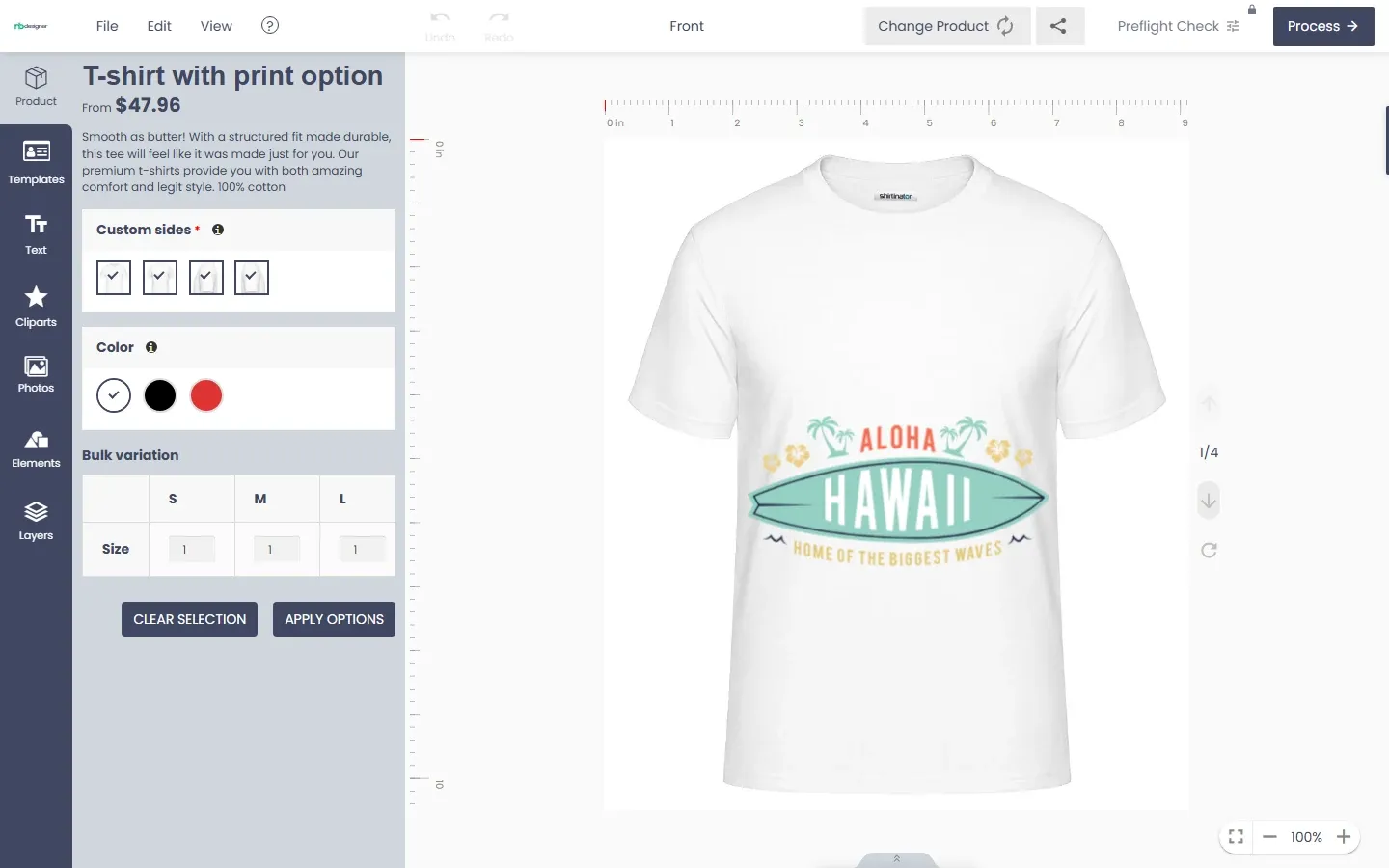
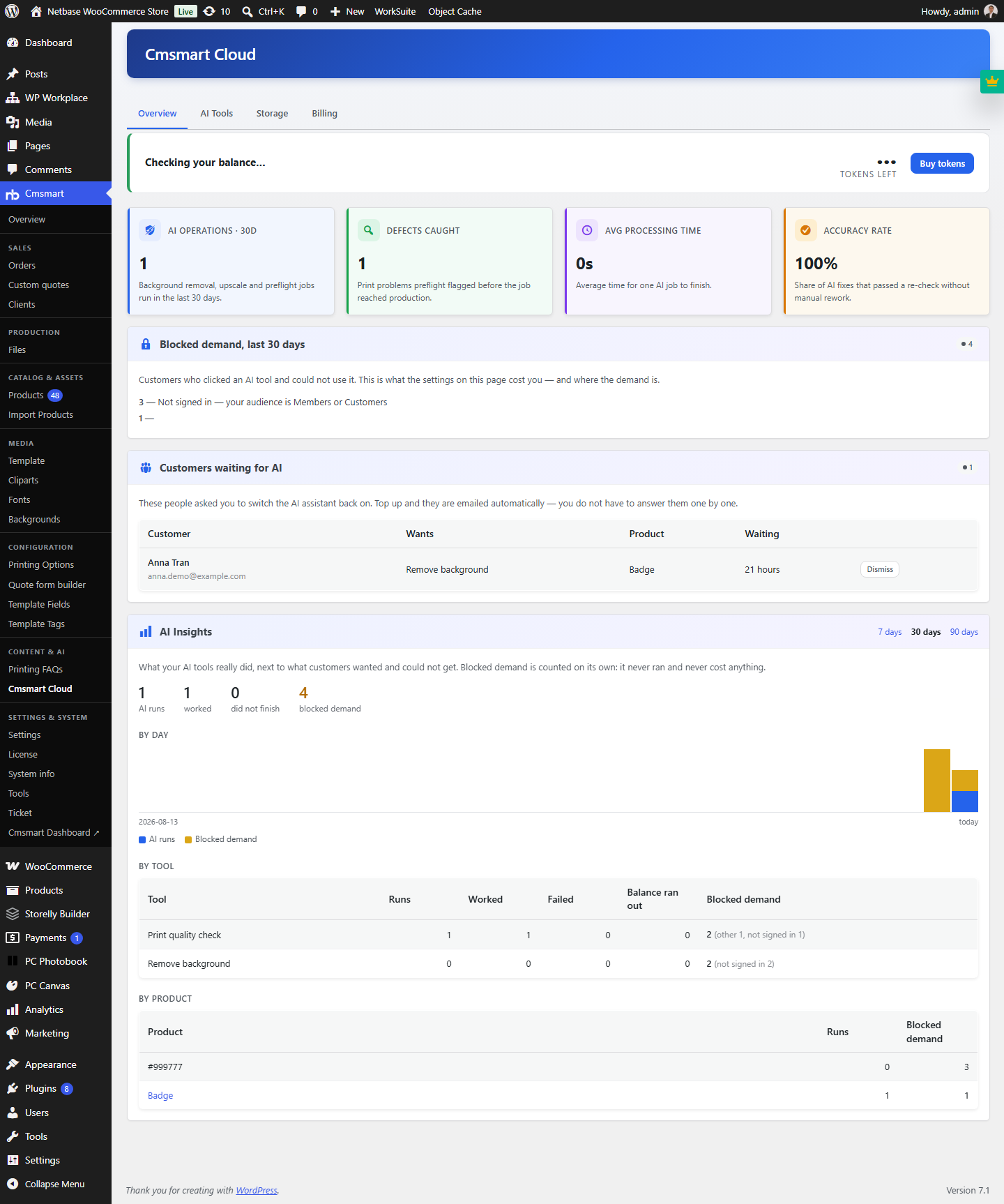
Cmsmart publishes a WooCommerce Online Product Designer Plugin and dynamic customization demos. Its release notes document Background Remover, Image Upscale and AI Preflight; they do not document automated storefront design, automated pricing or recommendation engines. For print production, AI Preflight in Product Designer 2.10.0 checks uploaded artwork for resolution, colour mode, fonts, bleed and transparency against the product print specification.
ChatGPT, Midjourney, Jasper and Klaviyo are linked here as tools a team may evaluate. Confirm each tool’s current features, data handling, integration fit and approval process rather than assuming a business outcome.
For an in-depth look at the trends shaping the future of ecommerce, explore insights from the Shopify 2026 online shopping trends, Salesforce State of Commerce, and BigCommerce Ecommerce Trends.
This guide provides criteria for comparing ecommerce design companies, design considerations and questions to use when checking provider evidence.
Let’s dive in and unlock the future of ecommerce design!
Ecommerce Homepage and Website Examples by Business Model
The most useful ecommerce website example is one that solves the same buying task as your store. Compare navigation, product discovery, purchase-risk information, mobile behavior and checkout handoff by business model. The four live examples below illustrate different patterns; they do not prove that one design will improve sales.
These observations were checked against the public websites on September 27, 2026. Store navigation, labels and offers change, so verify each live journey before using it in a current design brief.
Focused direct-to-consumer example: Allbirds
The Allbirds storefront keeps its main paths focused on men, women, new arrivals and bestsellers, then pairs product sections with material information and public return terms. A focused direct-to-consumer store can borrow that hierarchy: lead with the core audience and catalog paths, then place product education and purchase-risk information where shoppers can verify it.
Large B2B catalog example: Grainger
The Grainger storefront lets buyers search by keyword, item, model or part number, exposes product categories, and keeps account, order lookup, lists and bulk ordering close to discovery. A B2B catalog should test whether repeat buyers need search by known identifier, account tools and a short path to reorder.
Marketplace example: Etsy
The Etsy marketplace starts with a search for items or shops and offers category and interest-led paths into a multi-seller catalog. A marketplace can borrow the separation between finding an item and identifying a shop, while testing seller identity, policies and transaction trust at the points where each matters.
Configurable-product example: Nike By You
The Nike By You catalog begins with a product type, then moves the shopper into customization and supports personal text on eligible items. A configurable-product store should keep the base product, available choices, current selection and next step clear before checkout; exact options and validation rules depend on the product.
What should you evaluate before copying a pattern?
Use each example as a test prompt, not as a template to reproduce. Check the complete journey for the store model and audience:
A visible pattern does not establish conversion, revenue or customer preference. Record the store's requirement, test the relevant journey with representative users and measure the result on that store.
Ecommerce Website Design Considerations, Including AI Tools
Ecommerce requirements vary by audience, catalogue and operating model. Review the following considerations against current user research, platform constraints and measurable store needs.
1. Personalization and Controlled AI-Assisted Tools
2. Mobile-First and Responsive Design
Review the store’s own device and journey data, then test responsive layouts on representative devices. Figma and Adobe XD are linked as design-tool references; verify their current availability and fit.
3. Voice and Visual Search Integration
Evaluate Google Lens or Amazon Alexa only when voice or visual search is in the requirements. Test usability and accessibility on the implemented journey before making an outcome claim.
4. Advanced UX/UI with Micro-Interactions
Use animations and micro-interactions only when they clarify state or the next action, and test accessibility and performance. Measure engagement or bounce-rate changes rather than promising them.
5. Sustainability and Ethical Design Practices
6. AR and 3D Product Previews
Shopify AR and other augmented-reality or 3D tools can present products interactively. Confirm device support, asset requirements and measurement before claiming an effect on purchase confidence.
7. Headless Ecommerce Architecture
8. Customer-Service Tools and Automation
9. Real-Time Analytics and Conversion Optimization
Google Analytics 4 and Hotjar can provide behavioural evidence when configured with consent and a clear measurement plan. Use that evidence to test specific UX changes; do not promise ROI.
Explore more in the Salesforce State of Commerce and BigCommerce Ecommerce Trends reports to stay ahead of the curve.
The next section provides a consistent checklist for comparing ecommerce design companies.
How to Evaluate an Ecommerce Web Design Company
Choose a provider by matching the store’s requirements to verifiable platform experience, delivery evidence, support terms and commercial fit:
1. Evaluate Expertise and Specializations
Ask for relevant ecommerce project evidence, named team roles and the supported versions of WooCommerce, Shopify or Magento. For any AI-assisted feature, request a working demonstration and written limits.
2. Review Portfolios and Case Studies
Examine portfolios for projects that match the required platform and workflow. Treat sales, bounce-rate or retention results as unverified unless the case study identifies the project, baseline, period and measurement method. Use Clutch, GoodFirms and Read Cmsmart case studies as leads for verification.
3. Assess Technology and Tools
Ask the provider to demonstrate the exact integrations required by the brief and explain version support, data flow, ownership and maintenance. Explore Cmsmart product demos to inspect the current product-design workflow.
4. Check Client Reviews and Testimonials
Seek genuine client feedback to understand the agency’s reliability, communication, and project management. Use platforms like Trustpilot and Clutch to find transparent reviews. See what clients say about Cmsmart
5. Clarify Pricing and Contracts
Request a written scope, assumptions, exclusions, price, change process and post-launch support terms. Review Cmsmart's ecommerce development services, then confirm the applicable service and current quote in writing.
6. Evaluate Customer Support and Communication
Compare published support channels, hours, response commitments and escalation terms. Visit Cmsmart’s Support Center to check its current public support process.
7. Consider Location and Collaboration Style
Decide whether local, nearshore or offshore delivery fits the project needs, budget and collaboration style. Review Cmsmart’s ecommerce services, then confirm delivery location, working hours, staffing and commercial terms for the proposed engagement.
Apply these criteria consistently and record the evidence, assumptions and gaps for each provider. The next section lists Cmsmart materials that should be checked against the same standard.
Cmsmart: Your Partner for Custom Ecommerce Design
Cmsmart publishes ecommerce services, WooCommerce products, demos, release notes and support resources. Compare those materials with the required platform, workflow, delivery model and support terms.
For teams planning a build, explore our ecommerce web design and development services.
Why Cmsmart Stands Out
Evidence to verify : Ask for recent projects that match the store’s platform and requirements. Meet the Cmsmart team, then request named references and the scope delivered.
Documented AI-assisted tools : Product Designer release notes describe Background Remover, Image Upscale and AI Preflight. Read the Product Designer 2.12 release notes for these tools, then require release-level evidence for any broader capability.
Published WooCommerce materials : Review the WooCommerce Online Product Designer Plugin and Product Configurator Tools for the exact customization workflow, compatibility and current feature set required by the brief.
Scalability check : Ask for documented capacity assumptions, extension points, upgrade responsibilities and relevant load or integration evidence for the proposed solution.
Implementation Example
Comprehensive Support and Resources
Visit the Support Center and explore the Knowledge Center, then confirm response commitments, ownership and escalation terms in the project agreement.
The next section provides provider pages to review with the same evidence checklist.
Ecommerce Website Design Companies to Evaluate
The following companies are starting points for evaluation, not a ranking or endorsement. Verify current services, platform support, project evidence, commercial terms and references directly with each provider.
1. Cmsmart
Evidence to review : current WooCommerce product pages, Product Designer release notes, demos and published support routes.
Notable Tools: WooCommerce Online Product Designer Plugin, Product Configurator Demos.
Capabilities to verify : required product-personalization workflow, any 3D-preview scope, compatibility, limits and implementation ownership.
Explore Cmsmart’s Solutions
2. Webkul
Claims to verify : current marketplace products, supported Shopify and Magento versions, and any hyperlocal workflow relevant to the brief.
Evidence to request : current app directory and named client references the provider is authorized to share.
Learn More: Webkul
3. Absolute Web
Claims to verify : current Magento and Shopify Plus work, named delivery roles and relevant project evidence.
Evidence to request : company-history source and recent projects comparable in platform, scope and operating model.
Learn More: Absolute Web
4. pb+j
Claims to verify : current brand and ecommerce UX services, deliverables and relevant project evidence.
Evidence to request : named team roles, strategy and design deliverables, and recent comparable references.
Learn More: pb+j
5. Webential
Claims to verify : current development, design, marketing and integration scope, including which work is delivered in-house.
Evidence to request : supported Shopify scope, assigned project roles and current delivery terms.
Learn More: Webential
6. Emizentech
Claims to verify : current Magento support, responsive-design work, migration method and performance evidence.
Evidence to request : recent Shopify or Salesforce projects relevant to the brief and the delivery locations and roles proposed.
Learn More: Emizentech
Comparison Table: Key Features and Specialties
The next section lists website features to evaluate against user research, platform constraints and acceptance criteria.
Features to Evaluate in an Ecommerce Website
Evaluate an ecommerce website against the store’s user journeys, accessibility, performance, content, checkout and operational requirements. Treat conversion or loyalty as measured outcomes rather than guaranteed design properties:
1. Seamless User Experience (UX) and Intuitive User Interface (UI)
Test navigation, loading performance, calls to action and layout clarity with representative users. Record satisfaction or conversion changes only after measurement.
2. Personalization and AI-Assisted Tools
Evaluate Klaviyo and Dynamic Yield for the specific use case, consent model, data requirements and current feature limits. Do not assume recommendation, pricing or promotion functions are included in the proposed store.
3. Mobile-First Design
Use current store analytics to choose representative mobile devices and browsers, then test the required journeys on them.
4. Secure and Optimized Checkout Process
Test checkout fields, payment options and error handling against the store’s requirements, and measure abandonment before attributing a change.
5. High-Quality Product Imagery and AR/3D Previews
Shopify AR is linked as an example to assess. Confirm asset, device and platform requirements, then measure product understanding or engagement on the actual experience.
6. Fast Loading Speeds and SEO Optimization
Use Google PageSpeed Insights and Yoast SEO as diagnostic inputs where relevant. Validate performance and search changes with appropriate field and search data rather than promising rankings or retention.
7. Integrated Analytics and Data Tracking
Use Google Analytics 4 and Hotjar to monitor user behavior, identify drop-off points, and optimize performance.
8. Customer Support and Engagement Tools
Define the support workflow, privacy controls, escalation path and quality review before evaluating live chat or a tool such as ChatGPT. Measure customer satisfaction separately.
The next section lists ecommerce design options for startups to evaluate.
Ecommerce Design Options for Startups
Startups can compare ecommerce options by total cost, current requirements, operating ownership and documented capacity. Use the following questions to structure that review:
1. Leverage Open-Source Platforms
WooCommerce and the linked Cmsmart plugin are options to assess. Confirm current licence cost, compatibility, customization scope, maintenance and implementation effort.
2. Adopt Modular Design and Headless Architecture
Contentful and Commerce Layer are options to assess when the requirements justify a headless architecture. Document integration, governance, migration and upgrade work instead of assuming future changes will avoid a rebuild.
3. Evaluate AI-Assisted Tools
Review Jasper, Klaviyo and Hotjar for current pricing, data handling, approval needs and fit with the defined workflow. Do not assume affordability or a competitive result.
4. Use Pre-Built Templates and Demos
Use the Cmsmart Product Configurator Demo to inspect the current workflow. Confirm customization scope, implementation work and compatibility before estimating schedule or effort.
5. Prioritize Scalability from Day One
Document expected traffic, transaction volume, integrations and operational ownership. Require relevant capacity and upgrade evidence for the proposed WooCommerce components.
In the next section, we’ll dive into the FAQs: Everything You Need to Know About Ecommerce Web Design.
FAQs: Everything You Need to Know About Ecommerce Web Design
The following questions provide a requirements checklist. Confirm current prices, schedules and capabilities with written provider evidence.
What is the average cost of ecommerce website design?
Cost depends on scope, integrations, data migration, content, testing, support and commercial terms. Review Cmsmart's ecommerce services to identify relevant delivery options, then obtain a current written quote with assumptions and exclusions.
How long does it take to design and launch an ecommerce site?
Schedule depends on scope, dependencies, content, approvals and testing. Review the QuickStart Project, then require a current delivery plan with milestones, owners and assumptions.
What are the key features to prioritize?
Documented personalization or AI-assisted tools, with current feature and data evidence
Mobile-first, responsive design
High-quality visuals and AR previews
Seamless checkout with multiple payment options
Scalable architecture and robust security
What mistakes should I avoid when choosing a design company?
Going for the cheapest option without verifying quality
Ignoring portfolio and case studies
Overlooking maintenance and aftercare services
Not clarifying pricing and contract terms
How can I ensure scalability?
Start with measured capacity and integration requirements, then compare architecture, maintenance and upgrade options. Review Cmsmart’s ecommerce development services as a starting point, then require a written architecture and test plan for any capacity or integration claim.
What’s the best way to integrate AI into ecommerce design?
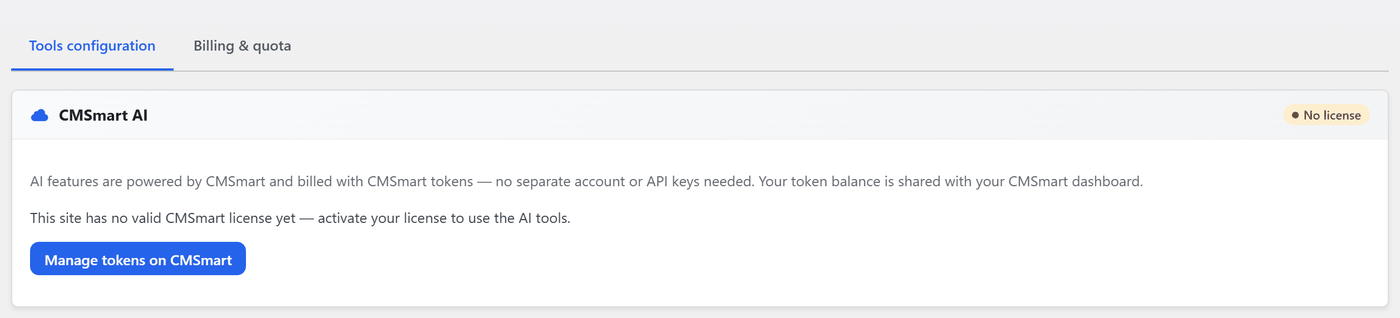
Define one use case at a time, then assess Klaviyo, ChatGPT or Dynamic Yield for current features, data handling and integration ownership. Cmsmart’s documented Product Designer AI tools are Background Remover, Image Upscale and Preflight; broader integration claims require separate evidence.
Next, we’ll wrap up with a Conclusion and Call to Action, summarizing key takeaways and inviting you to explore Cmsmart’s solutions.
Conclusion and Call to Action
An ecommerce website brief should connect user needs, business operations, platform constraints and measurable acceptance criteria.
Throughout this guide, we’ve explored:
Design considerations including controlled AI-assisted tools, AR previews and dynamic content where the requirements and evidence support them.
How to compare design providers using relevant project evidence, documented capacity and current tool support.
Cmsmart’s published WooCommerce products, narrow Product Designer AI tools and public support resources, all subject to current product and commercial verification.
If the requirements are clear, compare providers against the same evidence checklist and record unresolved assumptions before committing.
Explore Cmsmart Solutions: Cmsmart Product Designer Plugin | Cmsmart Community | Request a Cmsmart project quotation
? Take Action Now:
Explore the latest Product Demos: Product Configurator Demo
Connect with us via Support Tickets: Cmsmart Support
Use Cmsmart’s published product, demo, release-note and support materials to assess whether its current offering matches the written brief.
Thank you for reading this guide. Recheck provider capabilities, terms and evidence when making a current procurement decision.