
Explore product personalization and 3D preview options for custom-product workflows.
Plan around your store requirements.
Talk with Cmsmart about implementation options.
What you can explore:
- ✅ Product options for configurable products
- ✅ 3D previews for custom-product workflows
- ✅ Implementation options for your store
Want ecommerce updates and resources?
Subscribe for ecommerce updates:
You'll get:
- ✔ Ecommerce tips and product updates
- ✔ Tutorials and service information
- ✔ Personalization and 3D product resources




In short
What is DPI in printing?
DPI means dots per inch: how many printed dots fit along one inch (2.54 cm). A higher value gives the printer more information per inch and a sharper result. A low-resolution image cannot be rescued by a better printer: the ink spreads and the edges look fuzzy.
Which DPI should I ask for?
These are general print guidelines, not Cmsmart limits. Large-format products such as banners are usually viewed from a distance and often accept lower DPI at full size; always follow your print provider’s specification.
How do I set DPI in NBDesigner?
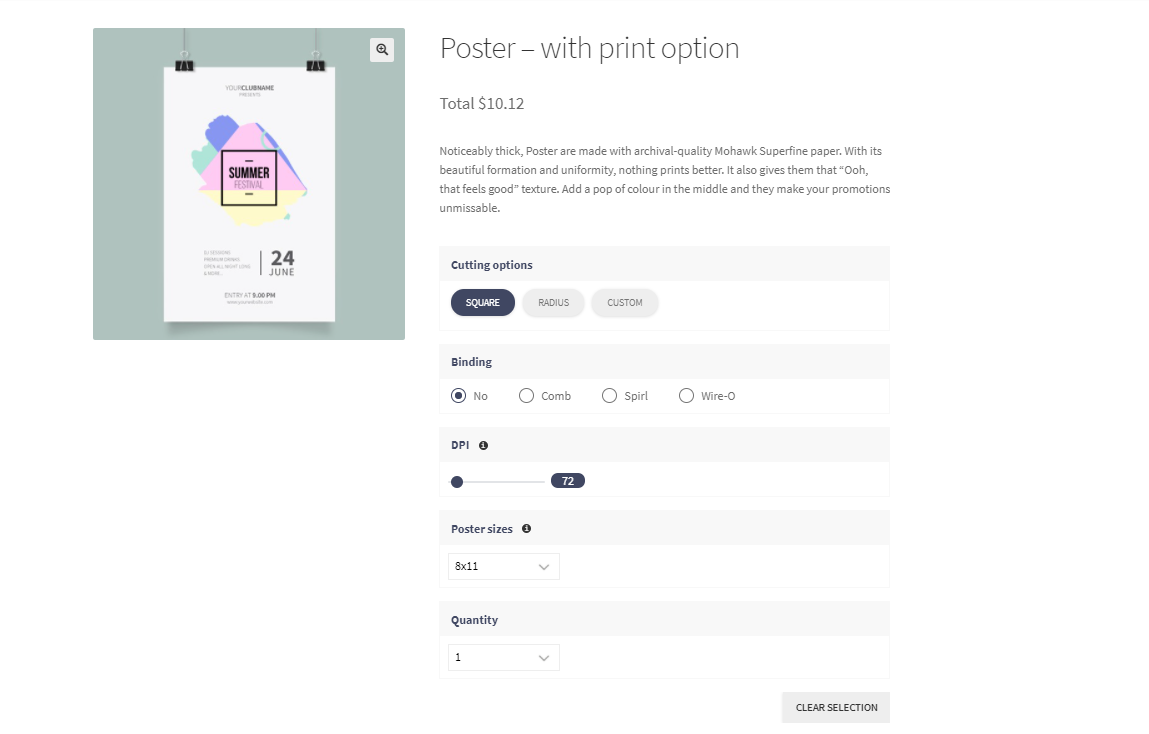
There are three places, from global to per product.
How do I stop customers uploading low-resolution images?
Set a minimum DPI and switch on the warning. Go to Cmsmart › Settings › Design Tool › Image Options:
In the modern editor you can also turn on Cmsmart › Settings › Appearance › Modern layout › Show warning image low resolution, which shows the warning by default inside the designer. If your products use the upload-file flow, Upload design › Min. resolution DPI for JPG/JPEG image sets a minimum for uploaded JPGs, and Min. resolution (px) and Max. resolution (px) limit the pixel size.
How are PDFs and AI suggestions handled?
Since 2.15.1 an uploaded PDF is placed at its real physical size and its preview is rasterised at up to 300 DPI (longest side capped at 2000 px); before, a small print-ready card PDF appeared tiny and blurry. The AI “low-resolution, upscale it” suggestion no longer fires on a PDF layer, so a vector PDF is not replaced by an upscaled raster copy.
Can the DPI rules be customised?
Yes, as a project. For example, a shop can compare each upload against its own DPI formula and show its own warning box. That is custom development rather than a setting; request a quote with your rule.
Frequently asked questions
What DPI should I set as the output resolution?
300 DPI for most photographic and marketing print. The plugin default is 150, so change it if your files are printed small and viewed close up.
Will the plugin upscale a low-resolution image for me?
It can suggest AI upscaling for a small raster image; it will not do so silently, and it skips PDF layers.
Is a high DPI always better?
No. Beyond what the printer can reproduce you only get bigger files. Match DPI to the product and the printer.
Where does the customer see the warning?
In the designer, as a notification, when the image is below the minimum you configured.
Try it on your store
Start the free 30-day trial from your Cmsmart Dashboard, see the WooCommerce product designer plugin page, or open the live demo. For custom print-shop projects, request a quote.