
Explore product personalization and 3D preview options for custom-product workflows.
Plan around your store requirements.
Talk with Cmsmart about implementation options.
What you can explore:
- ✅ Product options for configurable products
- ✅ 3D previews for custom-product workflows
- ✅ Implementation options for your store
Want ecommerce updates and resources?
Subscribe for ecommerce updates:
You'll get:
- ✔ Ecommerce tips and product updates
- ✔ Tutorials and service information
- ✔ Personalization and 3D product resources



In short
You want proof that customers will actually use a product designer before you pay for one. A demo video or a features page cannot give you that proof — only your own products, your own theme and a few real test orders can.
The NBDesigner free trial is Cmsmart's answer: the same Cmsmart Product Designer (NBDesigner) used on the live demo, running free on up to five of your products for 30 days. No separate "Lite" installer, no card required.
This guide covers the current 2.17.0 download, install and activation steps with real screenshots, exactly what the trial includes and what it leaves for Premium, and what to do once the trial proves your idea works.
What's the cost of picking a product designer plugin blind?
Buying a license before testing it risks staff time spent on a tool that doesn't fit, reprints from files your team can't use, and a sunk cost if customers don't bite. The NBDesigner free trial lets a WooCommerce store run the real Cmsmart Product Designer on five products for 30 days, so the decision rests on your own orders, not a sales page.
What does a good 30-day trial look like?
Picture your five best-selling products live with a Start Design button, a few real test orders placed from a phone and a laptop, and your print team opening the resulting files without a single email back and forth. Cmsmart's NBDesigner free trial turns that picture into a weekend's work instead of a future promise.
Imagine switching design on for five products on a Friday afternoon. By Monday you have real completed designs, real cart activity, and a sense of which products customers actually want to personalize — all before a single invoice from Cmsmart.
Example scenario: A gift shop owner enables Start Design on five bestsellers — an invitation, a mug and three stationery lines. Over the weekend a handful of site visitors design them on a phone and a laptop and add them to cart. By Monday the shop has real finished designs and cart data for products that previously only sold in generic colors, with nothing charged to a card.
Opt-in free trials that skip the credit card step tend to earn that kind of real usage: across B2B software, no-card trials convert about 18.2% of trial users to paying customers, against roughly 2.6% for old-style freemium sign-ups that ask for less commitment up front (Flint, 2026). A real 30-day test, not a stripped-down "Lite" build, is why Cmsmart retired the old download in favor of this model.
How does Cmsmart's trial fit into your existing WooCommerce store?
The NBDesigner free trial installs as a normal WordPress plugin next to WooCommerce and reuses your theme, products and checkout. Cmsmart's Product Designer supplies the editor, templates and cart line item; your store keeps handling orders, payments and shipping exactly as before, so testing adds one tool rather than replacing your stack.
What's the business value of testing before you commit?
A free trial turns "will customers design their own products?" from a guess into a measured KPI: design-to-cart rate, completed designs by device, and orders that need artwork fixes. Cmsmart's NBDesigner free trial gives a WooCommerce store four weeks of real data before any Premium spend, so the upgrade decision is backed by orders, not opinion.
Rough payoff worksheet: take the Premium license cost for your billing cycle, divide by the number of your five trial products that land a real order in 30 days — that's your cost to validate one product idea. Compare it against what a wrong plugin pick would have cost: (hours retraining staff × hourly rate) + (reprint rate × cost per reprint). If even two or three of your five trial products convert, you've validated demand for less than a single bad reprint run.
Cmsmart insight: spend the 30 days on your five best-selling products, not on demo items. Enable design on them, place a few test orders from a phone and a desktop, and hand the order files to whoever prints them. That one exercise tells you more than any feature list, and gives our team a precise brief if you later want custom work.
How do I set up the NBDesigner free trial?
Setting up the trial means starting it in your Cmsmart account, installing the plugin like any WordPress plugin, and activating the license — about 15 minutes from first click to an open editor. WooCommerce must already be active, since Cmsmart Product Designer declares it as a required plugin.
.zipand copy the license key from the confirmation email, or leave the key for the setup wizard below..zip, click Install Now, then Activate Plugin.Renewed or upgraded but still showing Expired or LITE? Click Re-sync licence on the same page — status is cached for up to 6 hours.
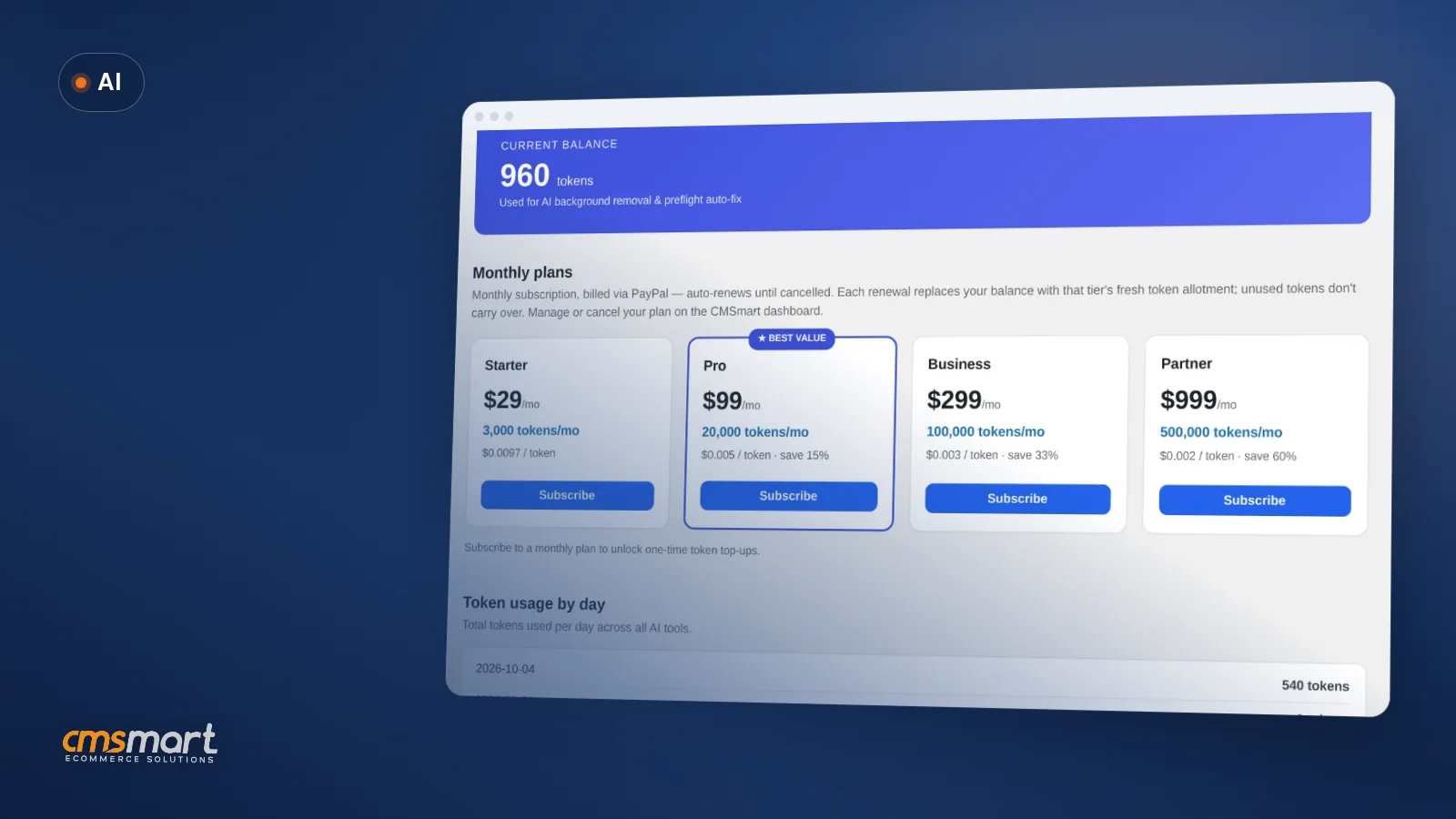
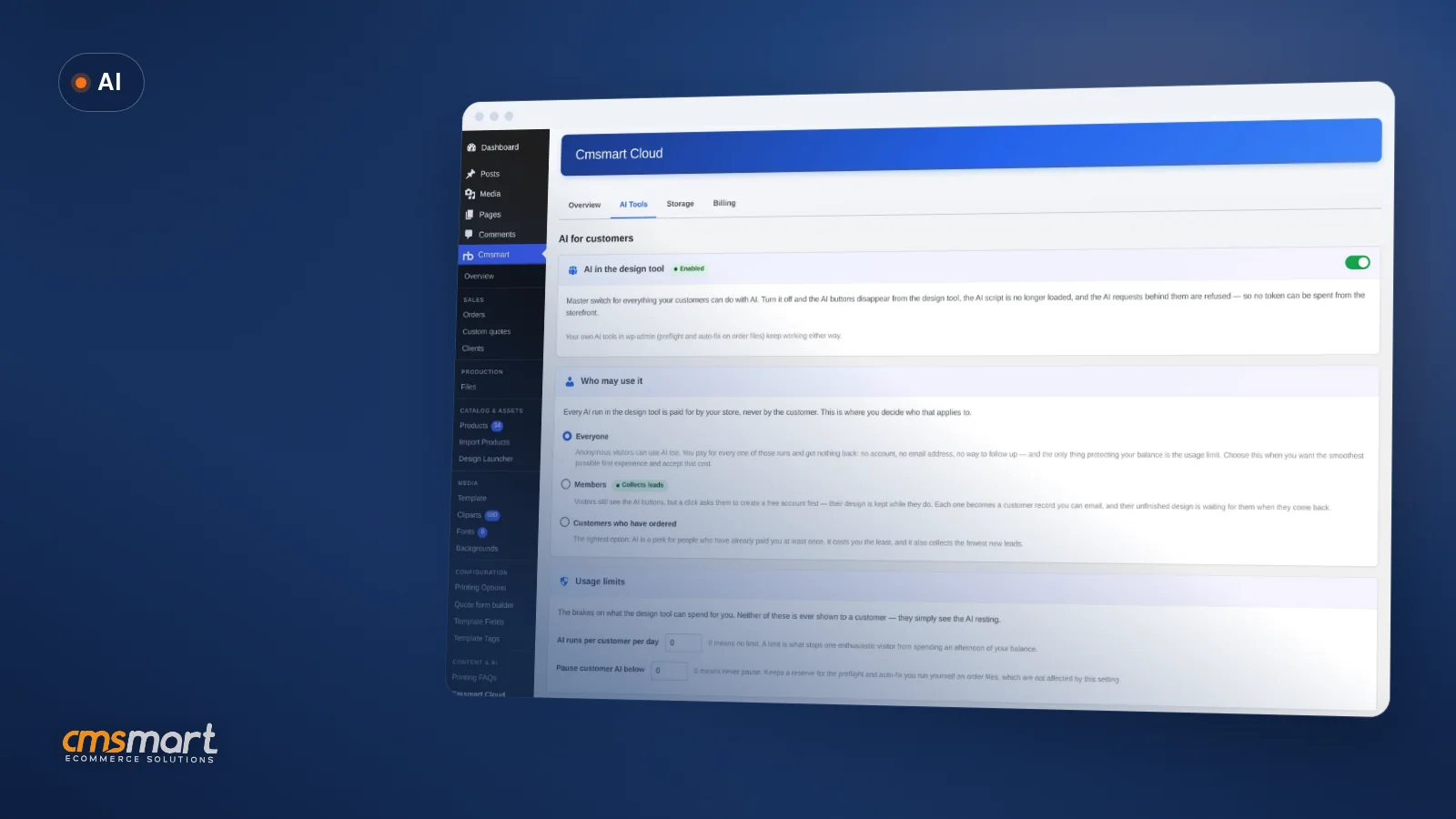
That table is the real scope of the free trial: 5 designer-enabled products, 5 global templates and 21 cliparts; stock photos, hi-res PNG, JPG CMYK with ICC profile, print-ready PDF export and automatic updates are Premium. AI image tools bill from your token wallet on every tier and don't depend on Free or Premium.
Going further: what if the trial shows you need more than the plugin?
When a trial proves demand but exposes gaps — a product the editor doesn't model, pricing rules the matrix can't express, or a store that needs to go live fast — Cmsmart builds the rest as custom development on top of the Product Designer, so you keep everything you set up in the trial and extend it.
Each project runs discovery, solution design, sprints, QA, launch and support: see the project delivery model and the store and print-shop preset installation service.
Plan my store launch
Why work with Cmsmart?
Cmsmart has built WooCommerce and web-to-print stores since 2012, backing the NBDesigner free trial with a support and delivery team rather than just a download link. That means a trial question gets answered by people who can also build the store around it, not a ticket queue reading from a script.
Cmsmart has built ecommerce and web-to-print stores since 2012 as a division of Netbase JSC: 6,300+ client projects and 500+ custom development projects, rated 4.2 on Trustpilot (404 reviews). WooCommerce itself now powers more than 32% of the online stores tracked by Store Leads (Barn2, 2026), which is also why Cmsmart builds on it rather than a closed platform.
"NBDesigner is a fantastic tool – very intuitive and easy to use. It makes the customization process smooth and efficient. The support team is also incredibly helpful, responsive, and professional," wrote Khanh Nguyễn Đức on Trustpilot. See our web-to-print solutions and projects.
Frequently asked questions
Is there still a free Lite download?
The free route is now the 30-day trial described above. Older shared LITE keys that already exist keep working as LITE, and the License screen marks them as Never expires (LITE).
Do I need a credit card for the NBDesigner free trial?
No. The setup wizard and the Dashboard trial flow both state that no credit card is required to start.
Can I try NBDesigner before installing anything?
Yes. Open the live demo and design a product in the editor without touching your own site.
What happens when the 30-day trial ends?
The plugin shows a trial-ended notice and asks you to upgrade. Functions marked Premium on the tier table — print-ready PDF, JPG CMYK, hi-res PNG, stock photos and automatic updates — need an active Premium license to keep working.
Can Cmsmart set up my store after the trial?
Yes. Store and print-shop setup is a Cmsmart service: share what you learned in your trial and the products you tested, and we scope the configuration and launch work.
Turn a good trial into a launched store
Share what you learned in your 30 days. We configure the editor, pricing and production hand-off your products need, and build it on the Cmsmart Product Designer you already installed.
Get a store setup quote Or start the free 30-day trial
Related: NBDesigner user guides.