
Guide · Web-to-print
Custom Embroidered Hats Online Store With WooCommerce
Run a custom embroidered hats online store on WooCommerce: a designer that checks logo size, prices by size/qty, outputs a print-ready file. Get a quo...
Sell custom vinyl banner printing online with a WooCommerce designer, size-based pricing and print-ready PDFs. Get your free project quote today.
Table of contents
Was this tutorial helpful?
Written by
Cmsmart Web-to-Print Solutions Consultant
Plans online print storefronts: product setup, pricing rules, proofing and print-ready files.
The team behind it
 Account Manager
 Project Manager
 Business Analyst
 Developers & QA
Guide · Web-to-print
Run a custom embroidered hats online store on WooCommerce: a designer that checks logo size, prices by size/qty, outputs a print-ready file. Get a quo...
Guide · Web-to-print
Launch a store to sell custom business cards online with live pricing, templates and print-ready PDFs. See how Cmsmart sets it up — get a quote.
Guide · Web-to-print
See how to set up a WooCommerce request a quote print workflow so buyers price complex jobs online and your team converts more of them to paid orders.

Cmsmart Ecommerce provides custom ecommerce and WooCommerce development services for web-to-print, product personalization, plugin support and API integration.
Cmsmart Web-to-Print Solutions Consultant
Plans online print storefronts: product setup, pricing rules, proofing and print-ready files.
Meet the team →


In short
A sign shop that wants to sell custom vinyl banner printing online needs more than a product page with a price box: it needs a canvas that stops a customer's logo arriving blurry, a price that reacts to size and material, and a print-ready PDF the press can trust without a phone call. Cmsmart Product Designer (NBDesigner) puts that storefront inside WooCommerce, and Cmsmart builds the rest for shops that need more than the plugin ships today.
What Does It Cost You to Sell Custom Banners by Email and PDF?
Cmsmart replaces the back-and-forth of email quoting with an online designer and a price that updates as a customer picks a size, so a banner order goes from "send me your logo" to a paid, print-ready job without a staff member proofing every file by hand.
Most print shops that still take banner orders by email run into the same handful of problems on every job:
Put a rough number on it: (hours per order on quoting and proofing) × (orders per month) × (staff cost per hour) + (reprint rate × cost per reprint). For a shop doing even modest banner volume, that formula usually outweighs the job itself.
Cmsmart insight: in our delivery work, most banner reprints trace back to a logo that was never checked against the print size before the file went to the press — not to the printer or the material. A designer that enforces bleed and flags low resolution before checkout removes that failure point before it costs a reprint.
What Does a Modern Vinyl Banner Storefront Look Like?
With Cmsmart, a buyer picks a size and material on the product page, designs or uploads artwork in a browser-based canvas that shows the bleed and safe zone, sees the price update live, and checks out — the print-ready PDF is already waiting in the admin order when staff open it.
Example scenario. A banner shop owner closes for the night. A customer who needs a 3×6 ft grand-opening banner opens the store at 9pm, picks the size, drags a logo onto the canvas, nudges it inside the safe-zone guide, pays, and gets an order confirmation. In the morning, the shop opens the order, downloads a print-ready PDF sized and bled correctly, and sends it straight to the press — no proof email, no guesswork about the file.
The print spec itself is not something Cmsmart invents — it is set by your printer or substrate. For vinyl banners, a widely used reference is eSigns' file setup guide, which calls for a minimum of 150 dpi, CMYK color, a 1/8 in bleed on all sides and keeping text or logos 2 in from the edge (a 3×8 ft banner becomes a 36.25 x 96.25 in canvas once bleed is added). Finishing is a separate spec again: 4over4's grommet placement guide recommends a grommet in every corner plus one every 24 to 36 inches along the top and bottom edge, set about 1/2 in to 1 in in from the hem. In Cmsmart Product Designer, you set the bleed to match your printer's spec on the product's design area, not the other way around.
How Does Cmsmart Power Custom Vinyl Banner Printing Online?
Cmsmart Product Designer (NBDesigner) runs the storefront, the canvas, the pricing rules and the print-ready export for custom vinyl banner printing online inside WooCommerce today; anything a banner shop needs beyond that — a quote portal, ERP sync, a dieline generator — Cmsmart builds as custom development on top of the same plugin.
Four building blocks make up the flow, and each one is either live in the plugin today or something Cmsmart builds for your store:
What's the Business Value and ROI of Selling Banners Online?
Selling custom vinyl banner printing online through Cmsmart turns quoting and proofing from staff time into a self-serve flow, so the business value shows up as hours saved per order, fewer reprints from bad files, and orders a shop can take outside business hours.
Rough ROI worksheet: (minutes saved per order on quoting and proofing ÷ 60) × (your staff cost per hour) × (banner orders per month) = monthly hours recovered. Add (reprints avoided per month × your cost per reprint) for the material side. Put in your own numbers — the point is the mechanism, not a promised percentage.
How Do You Set Up Custom Vinyl Banner Printing Online With WooCommerce?
Setting up custom vinyl banner printing online with Cmsmart means installing the plugin, turning on the designer for your banner product, matching the design area to your printer's bleed and DPI spec, and configuring size-based pricing — all inside wp-admin, no custom code required for the core flow.
Can AI Catch a Low-Resolution Banner Logo Before It Prints?
Cmsmart's AI Preflight checks a design's effective resolution before it ships to production and offers an upscale fix for artwork that's too low-res for banner size, which is exactly the failure mode — a small logo stretched across a large canvas — that causes most banner reprints.
AI Preflight runs as a check on the print files, not a silent auto-correction: it flags artwork that won't hold up at the banner's finished size and offers an auto-fix limited to upscaling resolution, so a staff member (or the buyer, before checkout) can see the issue and fix it rather than printing a blurry banner and finding out from the customer. Shops that need deeper automation — correcting color profiles or bleed automatically rather than flagging them — should talk to Cmsmart about custom AI preflight rules built on top of the plugin.
Going Further: What Custom Development Can Cmsmart Build for Banner Sellers?
Beyond the designer, pricing and print-ready PDF that ship in Cmsmart Product Designer today, Cmsmart builds custom development for banner and sign shops whose workflow needs more — quote portals, ERP sync, or multi-step production tracking — on top of the same WooCommerce store.
A handful of extensions come up often with banner and large-format sellers:
Cmsmart delivers this the same way for every custom project: discovery, solution design, build sprints, QA, launch and ongoing support — see the delivery model and past projects. Plan my banner storefront
Why Work With Cmsmart for Your Banner Storefront?
Cmsmart has built ecommerce and web-to-print stores since 2012 as a Netbase JSC division, with Cmsmart Product Designer running storefronts for print shops, sign shops and POD brands that need more than a generic WooCommerce product page.
Cmsmart has delivered 6,300+ client projects and 4,600+ completed projects since 2012, with 1,800+ stores live today across 80+ countries, including 500+ custom development projects. Trustpilot shows a 4.2 rating from 404 reviews. One five-star review, from a developer who has run the plugin for three years, said: "The designer works exceptionally well across all devices and allows us to create the exact customisations required to perfectly fit our products and our business model." The market itself keeps growing: billboard and outdoor advertising was valued at $41.2 billion in 2025, projected at an 8.4% CAGR — more demand for shops that take banner orders online.
Talk to a print ecommerce expert about your own banner storefront, browse the web-to-print solutions hub, or see how Cmsmart's pricing engine service handles size and material pricing beyond the standard matrix. The designer itself lives on the Cmsmart Product Designer plugin page, and two related guides worth reading next are how web-to-print works for custom sign design and building a business-card storefront with WooCommerce. You can also try the live Banner demo product yourself.
Frequently Asked Questions About Selling Custom Banners Online
Do I need a developer to add size-based pricing for banners?
No. The Printing Options price matrix in Cmsmart Product Designer lets a shop set prices by size, material or quantity from wp-admin — a developer is only needed for pricing logic outside what the matrix covers, such as area-based pricing with custom rounding rules.
Is there a banner size price calculator built in?
The price matrix acts as one: once a shop sets its price rules, the product page shows the price updating live as a buyer picks a size and material, the same way a standalone banner size price calculator would, without a separate tool.
Can customers upload their own artwork instead of using the online designer?
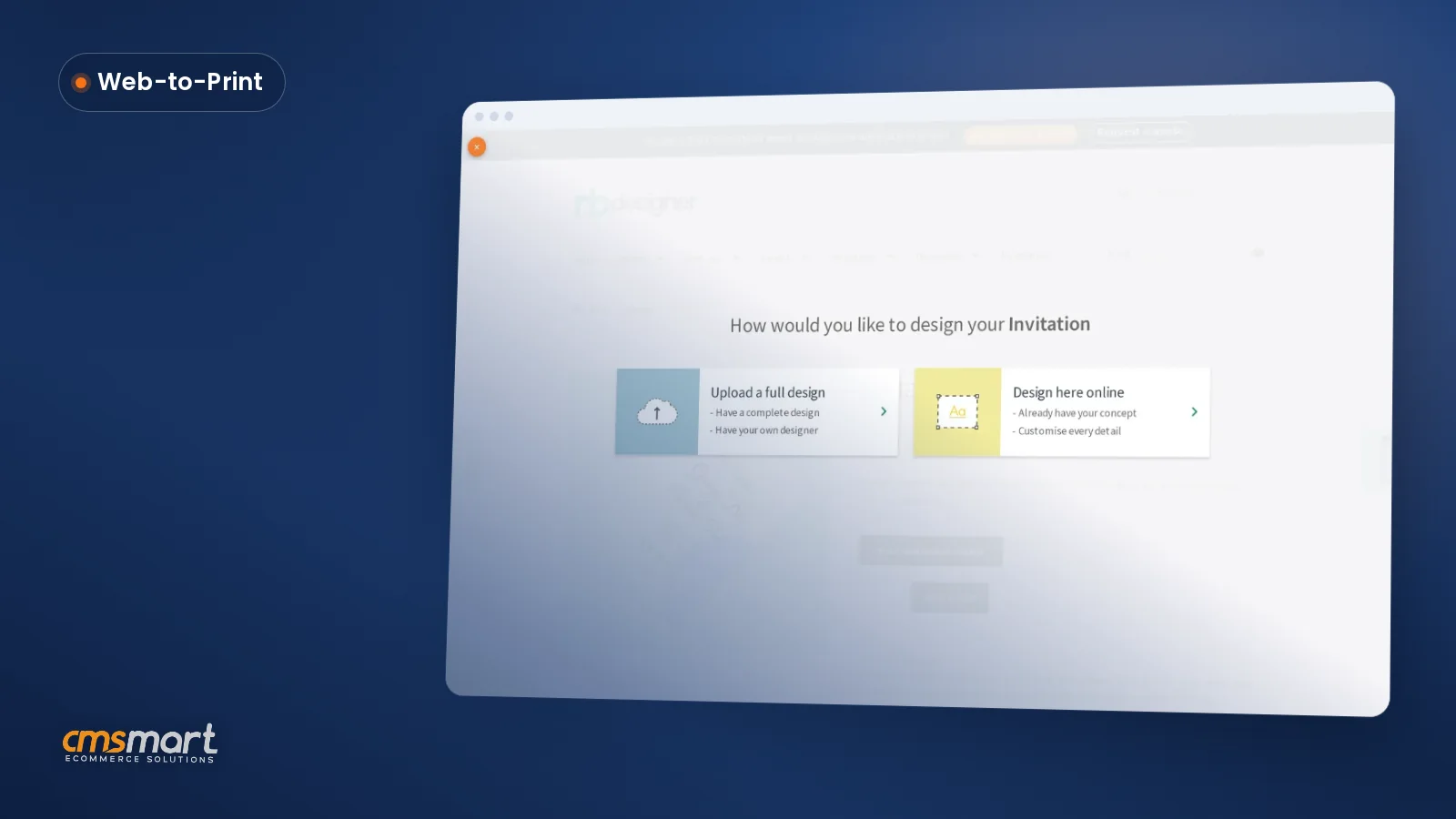
Yes. The Banner product offers both paths — design in the browser canvas or upload a print-ready file directly — so shops that serve design-savvy customers aren't forced through the designer.
What file does the print shop actually get?
A print-ready PDF generated from the order itself, rendered by Cmsmart Cloud, plus the design's SVG, high-resolution PNG and CMYK JPG with an embedded ICC profile for shops whose workflow needs a raster file instead.
Does Cmsmart handle grommets and hems as part of the design?
Placing grommets and hems automatically on the print file is not part of the core plugin today — Cmsmart builds that as custom development for shops that want finishing marks generated on the PDF rather than added by hand at the press.
How long does it take to get a banner storefront live?
Turning on the designer for an existing WooCommerce banner product and configuring its bleed, DPI and price rules is a same-day setup task for most shops; a custom quote portal or ERP integration is scoped individually during discovery.