
Explore product personalization and 3D preview options for custom-product workflows.
Plan around your store requirements.
Talk with Cmsmart about implementation options.
What you can explore:
- ✅ Product options for configurable products
- ✅ 3D previews for custom-product workflows
- ✅ Implementation options for your store
Want ecommerce updates and resources?
Subscribe for ecommerce updates:
You'll get:
- ✔ Ecommerce tips and product updates
- ✔ Tutorials and service information
- ✔ Personalization and 3D product resources
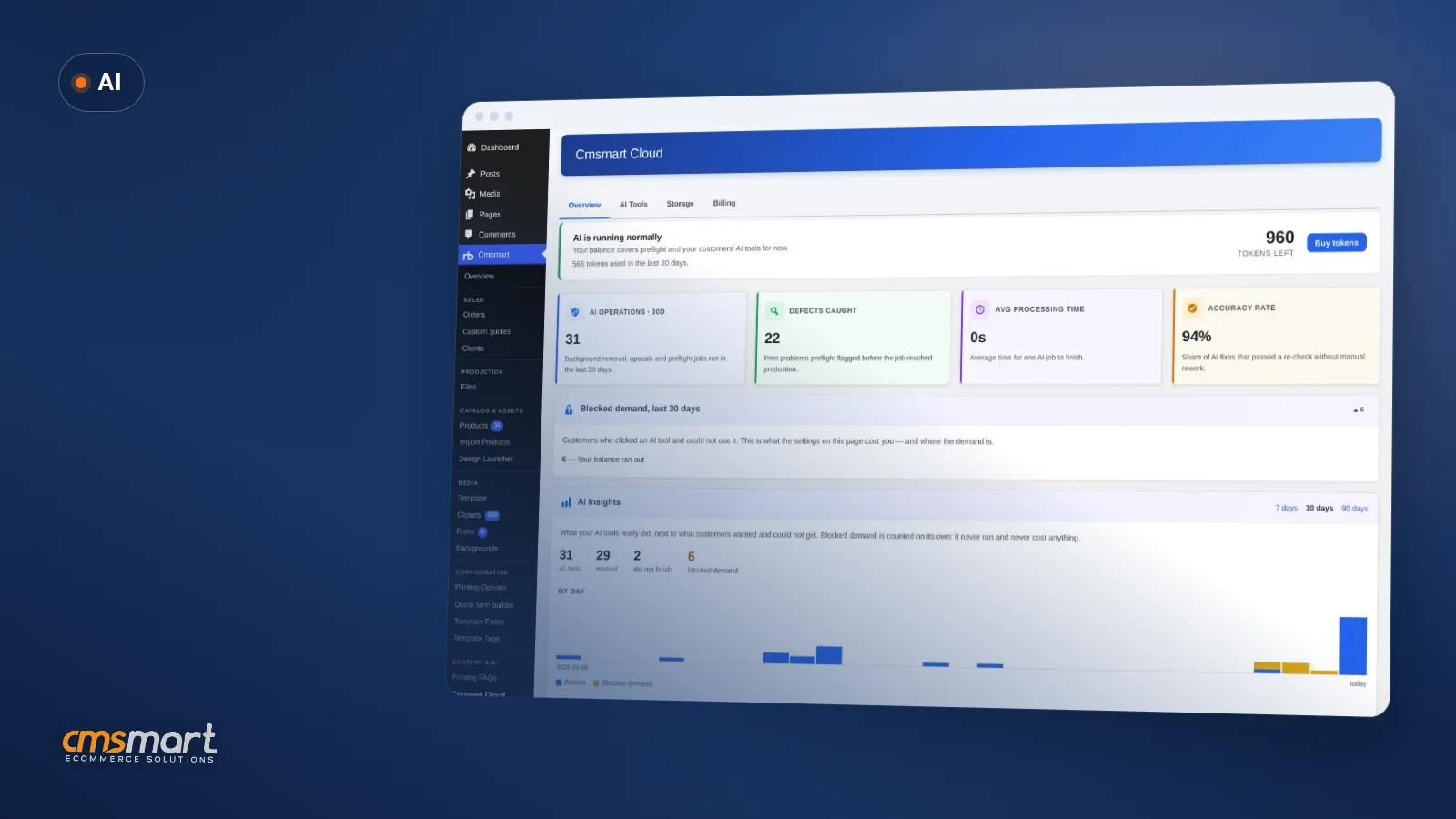
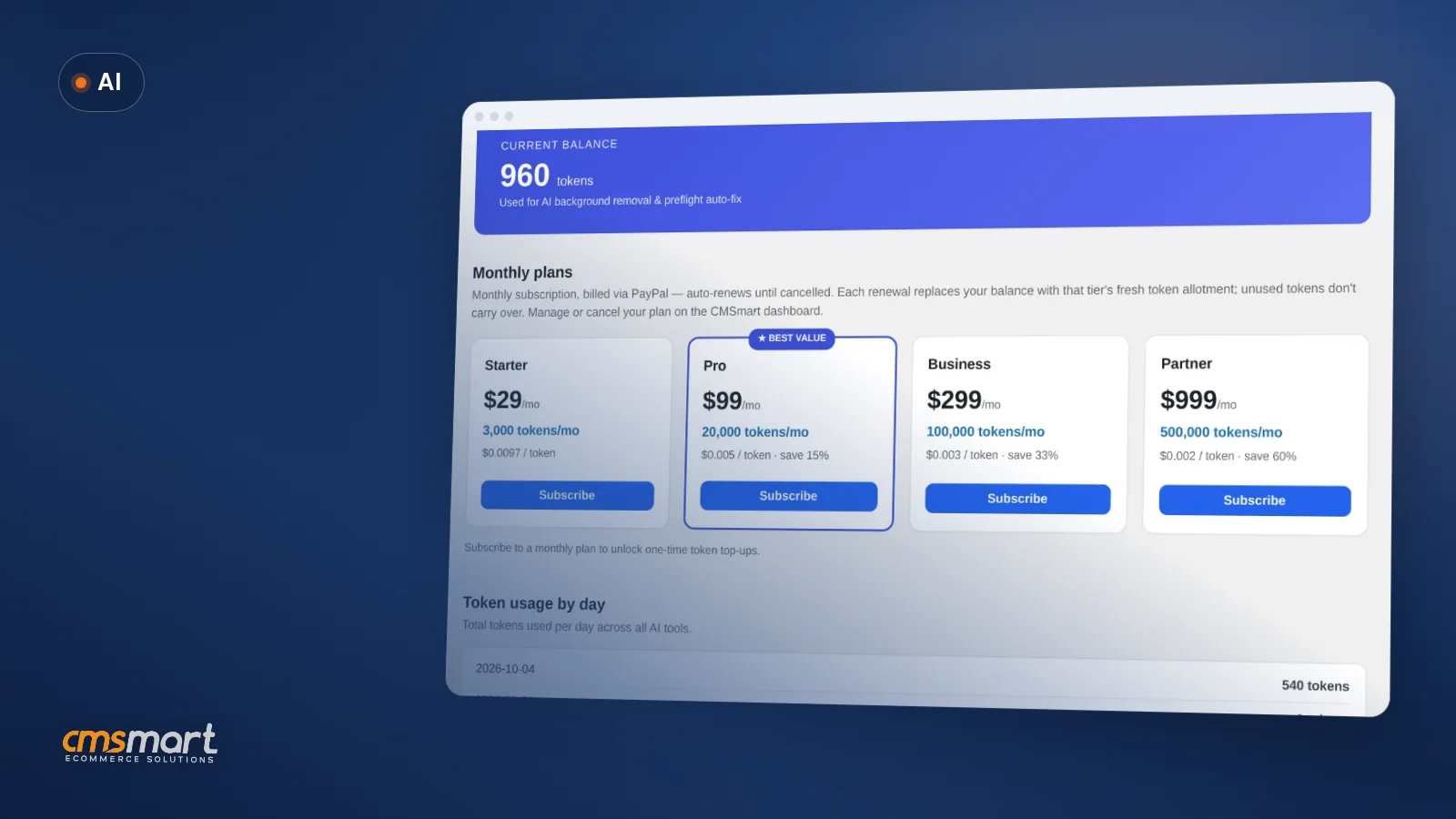
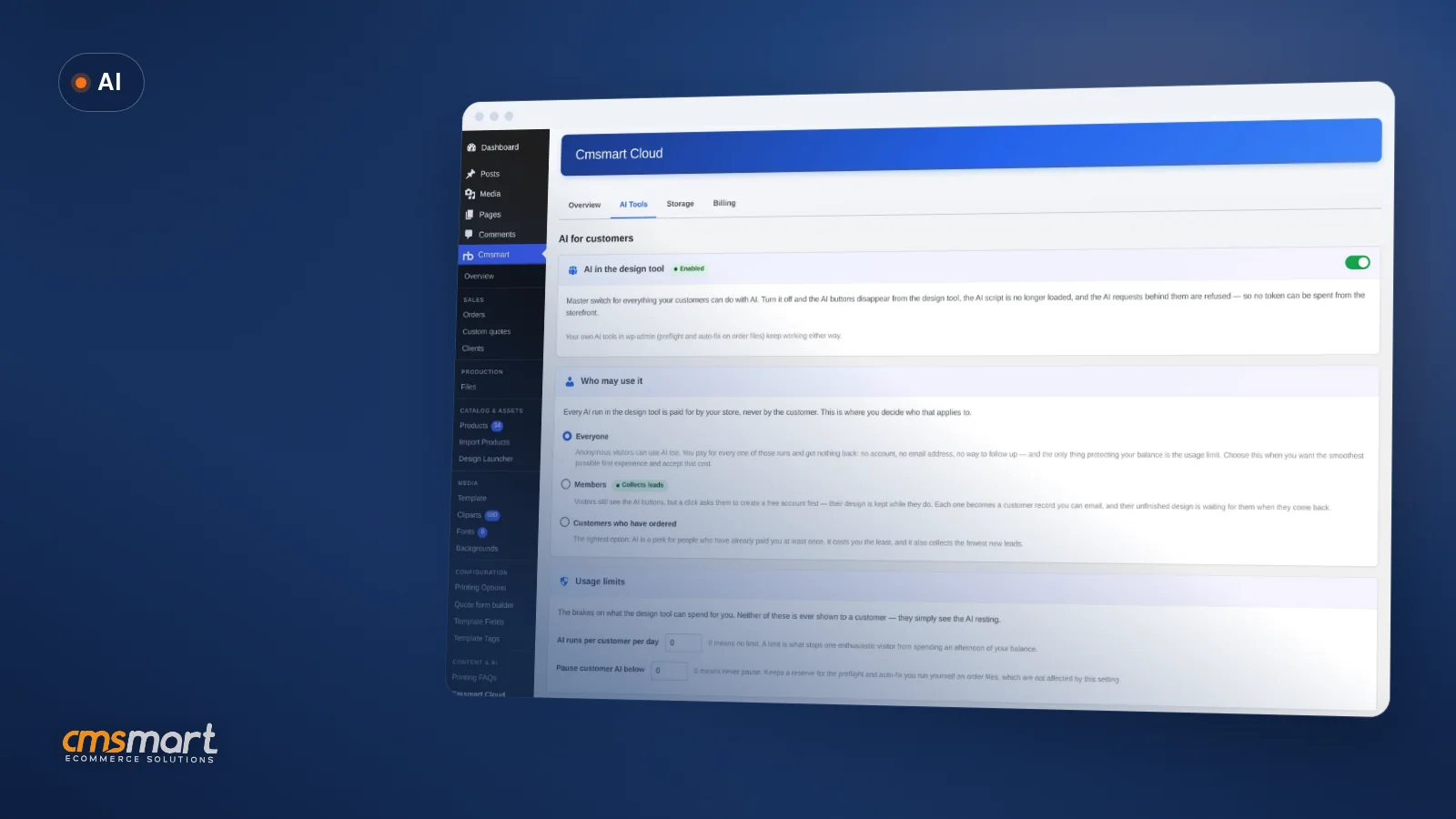


In short
A customer uploads a phone photo to a badge, a mug or a t-shirt. On her screen it looks sharp. At print size it is 184 pixels per inch against the 300 DPI your printer needs, and the job would come back soft. Most shops find this out after the print run, not before.
Cmsmart's AI print preflight software is built to catch that moment twice: once while the buyer is still in the designer, and again when the file reaches your order screen, before anyone presses print.
This case study walks through what AI Print Preflight checks, what a buyer sees, what you see on the order, and where the line sits between what Cmsmart ships today and what we build as custom development.
Why do low-resolution photos keep costing you reprints?
Cmsmart Product Designer's AI Preflight catches the resolution, colour and bleed problems that turn into reprints, so your print queue holds fewer surprises and your team spends less time chasing fixed files by hand.
Ask any print shop owner where the budget leaks and you get a familiar list:
Cmsmart insight: in our delivery work, the single most common reprint cause we see on web-to-print stores is a buyer-supplied photo that looked fine in a browser and only failed at print size. Catching resolution before checkout removes that cause without slowing the buyer down.
Put your own numbers on it: reprints avoided per month × (materials + shipping + staff time to redo the job), plus minutes per order a staff member spends eyeballing each PDF × your hourly rate. Multiply by twelve, and it is usually enough to justify an automated check.
What would it look like if every file arrived print-ready?
With Cmsmart Product Designer, a buyer fixes a soft photo herself inside the designer, and your order screen shows a pass or fail result before you approve the artwork — so "print-ready" becomes something you see on every order, not something you hope for.
Example scenario. A shopper designs a badge at 9 p.m., uploads a photo from her phone, and the designer flags it as low resolution. She clicks the suggested fix, the designer swaps in a sharper version, and she checks out. The next morning, the order screen already shows the print file as checked — resolution, colour mode, fonts, bleed and transparency — so your team approves the artwork instead of opening the PDF by hand.
How does Cmsmart's AI print preflight software catch problems before the press?
Cmsmart Product Designer runs two linked checks: a buyer-side resolution check in the online designer, and an admin-side AI Preflight scan on the order's print PDF, so a print shop gets one consistent quality gate from checkout to production.
Preflight, in print terms, is the prepress habit of checking a file against production rules — resolution, colour mode, bleed, fonts — before it goes to press. Cmsmart Product Designer names its feature for exactly that: AI Preflight.
Four building blocks do the work, and it matters which ones ship today and which ones are custom development:
What's the ROI of catching print problems before production?
Cmsmart's AI Preflight turns a hidden cost — reprints, rush shipping, staff time on manual checks — into something you can track, because every order gets a pass or fail result instead of a surprise after the job is on press.
Your reprint math: reprints avoided per month × (materials + shipping + staff time to redo a job), plus minutes per order spent on manual checks × orders per month ÷ 60 × your hourly rate, equals the monthly cost AI Preflight is positioned to reduce. Use your own store's numbers — the right figure depends entirely on what you print.
The pressure to get this right keeps growing with the market: the global print-on-demand market was valued at $11.38 billion in 2025, with a projected 20.06% annual growth rate through 2034 (IMARC Group, 2025). And WooCommerce, the platform Cmsmart Product Designer runs on, now powers 7.9% of all websites (W3Techs, October 2026) — more personalized print orders move through stores like yours every year, and each one is a chance for a production error you don't see until it is on press.
How do you set up AI Print Preflight on your WooCommerce store?
Turning on Cmsmart's AI Print Preflight takes a few minutes in Cmsmart Cloud settings: enable AI, set your required DPI, decide who may use it, and the resolution check and admin scan start working on the next order.
Going further: what can Cmsmart build on top of AI Print Preflight?
Cmsmart builds the integrations AI Preflight doesn't ship with today — ERP/MIS hand-off, pricing rules for failed files, AI image generation on your own OpenAI key, and prepress dashboards across stores — as custom development on top of Cmsmart Product Designer.
Five extensions we are regularly asked for, with the honest line between what ships and what we build:
Delivery follows the same path for all of these: a discovery call, a short solution design, build in sprints, QA against your real print files, launch, and ongoing support — see how we run ecommerce projects.
Get a custom AI preflight quote
Why work with Cmsmart on AI print quality control?
Cmsmart has built ecommerce and web-to-print solutions since 2012 as a Netbase JSC division, with 6,300+ client projects and 1,800+ live stores running today — the same team that ships AI Preflight also builds the custom work around it.
Cmsmart (a Netbase JSC division since 2012) has delivered 4,600+ projects across 80+ countries, with 500+ of those as custom development. Reviewers rate the company 4.2 out of 5 on Trustpilot (404 reviews) — see the Trustpilot profile. Related work: Cmsmart Product Designer (NBDesigner) and the Cmsmart AI tools hub.
For the full 2.17.0 release, including print-ready PDFs and the approved-artwork lock, see Cmsmart Product Designer 2.17: print-ready PDFs that match the order, and for the AI access controls added the release before it, see Cmsmart Product Designer 2.15: AI you control.
Frequently asked questions about AI Print Preflight
Is bleed and colour checking automatic for buyers?
No. The only check that runs automatically on the buyer's side is resolution — the designer offers Auto-fix: Upscale for a soft photo. Colour mode, fonts, bleed and transparency are checked on the print PDF in your order screen; a failed file is fixed there with one-click admin actions, not on the buyer's side.
Can customers generate new artwork with AI?
Only if you connect your store's own OpenAI API key to Cmsmart Product Designer's AI Design tab. It is a separate feature from Print Preflight, and it generates new artwork from a text prompt rather than checking an existing print file.
What does AI Preflight cost to run?
Preflight and the AI image tools spend tokens from your Cmsmart Cloud wallet, not the customer's. Cmsmart Cloud → Billing, captured October 2026, lists several monthly token plans by tier; plans may change, so check current pricing on your account before you commit.
Does the buyer ever see a token balance or a price?
No. The store pays for every AI run; the token balance, usage and Buy tokens button only appear in wp-admin.
Can Cmsmart connect AI Preflight results to our ERP or MIS?
Not out of the box. Cmsmart builds that hand-off as custom development, mapped to your existing production statuses.
How long does it take to add AI Print Preflight to an existing store?
If you are already on Cmsmart Product Designer 2.17.0 with a Cloud-enabled licence, turning on AI Preflight is a settings change you can make the same day. Custom extensions — ERP sync, pricing rules, a multi-store dashboard — follow the discovery-to-launch process described above.
Stop shipping soft prints and missing bleeds
Turn on AI Print Preflight on your Cmsmart store, or have us build the custom checks and integrations your print floor actually needs.
Get a custom AI preflight quote See the AI integration service
David Nguyen
Direct contact & support
Need help fast? Message me anytime: