AI Tools on Your Cmsmart Licence: Setup Guide

Set up AI tools on your Cmsmart licence: catch low-res photos, remove backgrounds, and preflight print files. Get a custom AI setup quote today.
- By David Nguyen
- 12 views

Table of contents
Was this tutorial helpful?

Written by
Cmsmart AI for Ecommerce Engineer
Adds practical AI to stores: image tools, preflight checks, automation and assistants.
- AI tools
- Automation
- AI preflight
- Cmsmart Cloud
The team behind it
A dedicated team runs your project
 Account Manager
 Project Manager
 Business Analyst
 Developers & QA
- Scoped first by an Account Manager and a BA
- Milestones and sprints tracked in WorkSuite
- Support and growth after launch
Table of contents
Related Posts
A buyer uploads a phone photo to a badge, a mug or a t-shirt in your designer. It looks sharp on their screen. At print size it's soft, or...
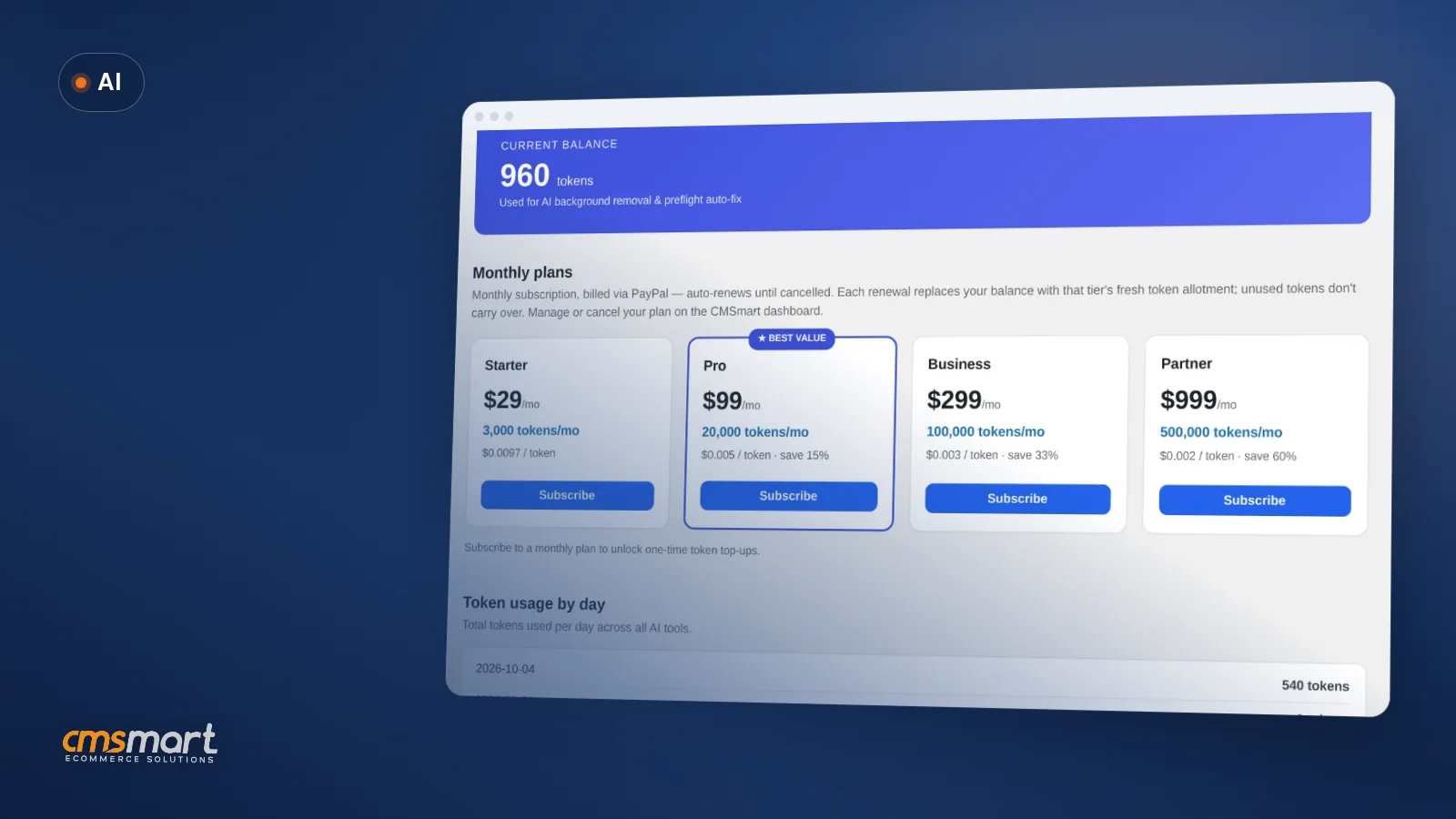
AI token wallet costs are the first question most store owners ask once they turn on AI Preflight, Background Remover or Upscale in Cmsmart Product Designer (NBDesigner) — what...
A shopper opens your product designer late one night, uploads a blurry photo from their phone, and asks for a cleaner cut-out before they buy. The fix takes seconds...

Cmsmart Ecommerce provides custom ecommerce and WooCommerce development services for web-to-print, product personalization, plugin support and API integration. For company background and team leadership, see David Nguyen.

Top
In short
A buyer uploads a phone photo to a badge, a mug or a t-shirt in your designer. It looks sharp on their screen. At print size it's soft, or the background prints as a grey box, and the file lands on your desk looking fine until someone opens it in prepress. Multiply that by every order your print shop or POD store takes, and quality control turns into a full-time job for whoever is nearest the printer.
This guide walks you through how to set up AI tools on your Cmsmart licence: no second signup, no separate vendor contract, no API key to paste in for the tools most stores need. The same licence and domain that already run your store authorize background removal, image upscaling and print-file preflight, billed from one wallet you control.
What does it really cost you when a buyer's photo isn't print-ready?
Cmsmart Product Designer catches low-resolution art, busy backgrounds and faulty print files before they reach press, so your team stops absorbing the cost of bad uploads order by order. Without it, every weak file becomes a manual task somewhere downstream.
None of this shows up as one line item, which is exactly why it's easy to under-price:
What would it look like if your store caught these problems before checkout?
Picture a storefront where Cmsmart checks resolution the moment a photo lands in the designer, offers a one-click fix, and hands your team a pass or fail on every print file before it reaches the press — all run on your own Cmsmart licence, with no extra login for you or your customer.
Example scenario: A shopper designs a photo badge at 11 p.m. using a snapshot from her phone. Preflight checks it in the designer, rates it 1 star (Caution) and offers an auto-fix. She accepts it, the check comes back 3 stars (Good), and she checks out. No email, no proof request, no second visit to your site. On your side, the order lands in Cmsmart → Orders already carrying a design built to pass inspection, and the print file gets its own five-point check before anyone sends it to press.
Cmsmart insight: in delivery work we see the same pattern across print shops — the art looks fine on a laptop screen and only fails at the size it actually prints. Check effective resolution before you worry about anything else on a photo-based product; it is the cheapest problem to catch and the most common one to miss.
How does Cmsmart put AI tools on your own licence?
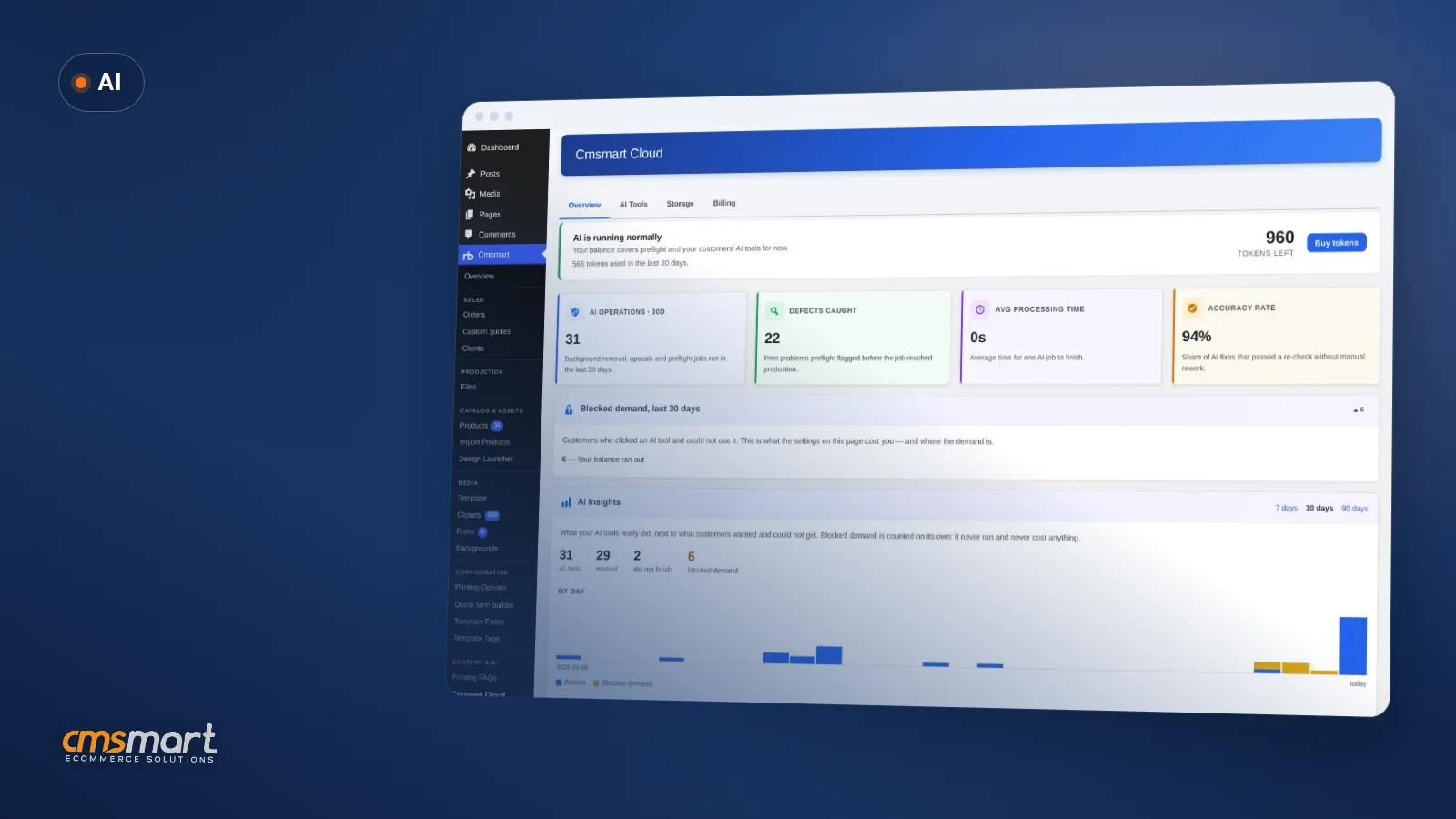
Cmsmart Cloud shares one token wallet between your storefront's design tool and your wp-admin order screen, both authenticated by the licence key and domain you already use — so AI tools on your Cmsmart licence need no second account, and your team manages access, spend and results from the same dashboard as everything else.
Six building blocks make this work:
What is AI tooling on your licence actually worth?
Cmsmart's AI tools turn quality control into a measurable line: fewer reprints, less manual PDF-checking time, and a spending cap you set yourself — all tracked from the same Overview tab you already use for orders, so the value shows up in numbers you already watch.
Rough worksheet (fill in your own numbers from Cmsmart Cloud → Overview and your production log):
Monthly value ≈ (orders with uploaded photos per month × minutes of manual QA saved per order × your hourly labour rate) + (reprints avoided per month × your cost per reprint) − your monthly AI plan cost. None of the variables are ours to guess — they're your order volume, your labour rate and your own reprint history.
How do you set up AI tools on your Cmsmart licence?
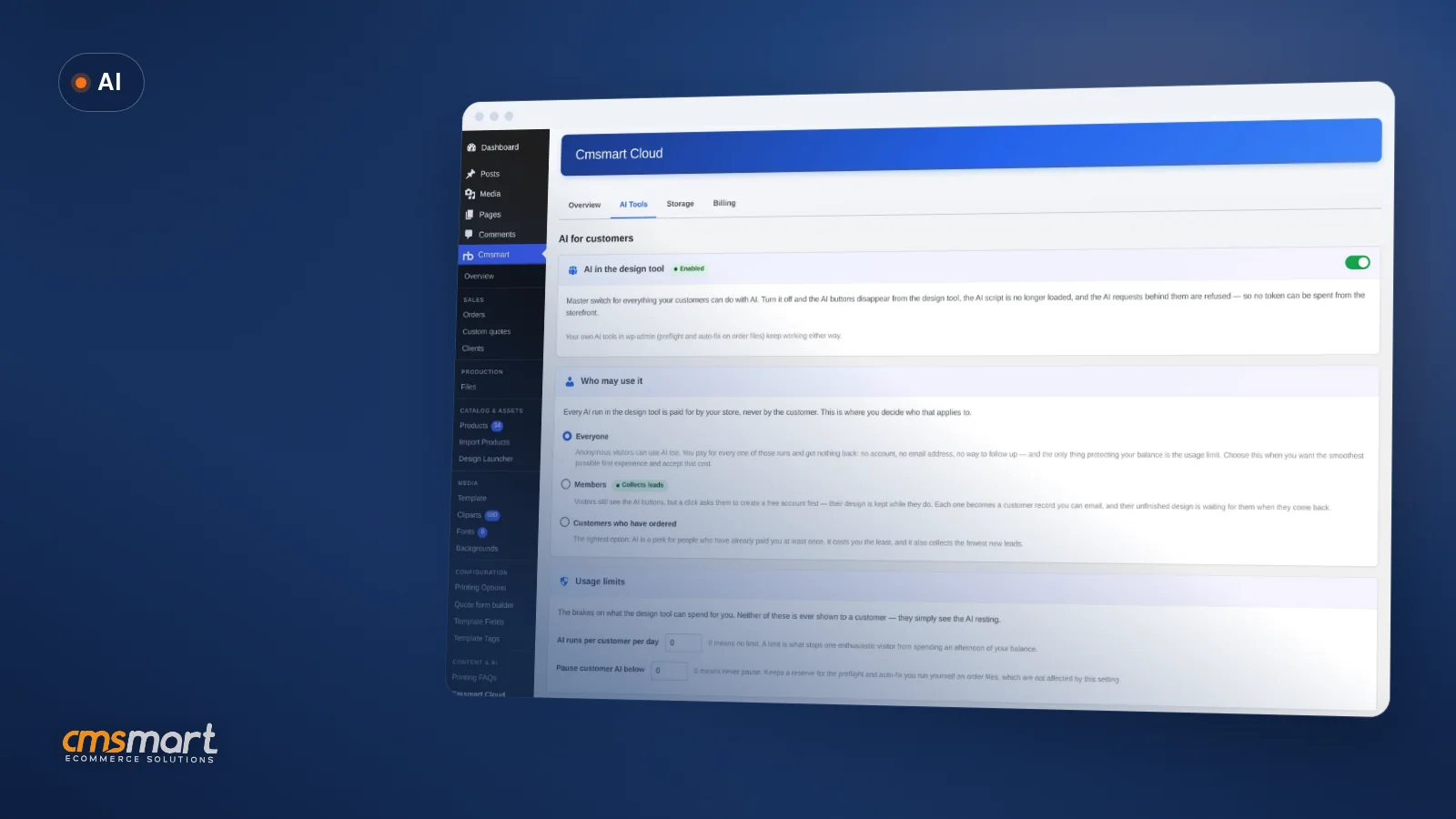
You install nothing extra: with Cmsmart Product Designer 2.17.0 active and licensed, you turn on AI tools on your Cmsmart licence from Cmsmart Cloud → AI Tools, choose who may use it, fund the wallet, and your first AI check is one click away in the designer or the order screen.
Going further: what can Cmsmart build on top of your AI tools?
Cmsmart's engineering team builds beyond the shipped AI tools — a brand-guarded AI Design rollout, per-product preflight rules, ops alerting and ERP sync — as custom development on your licence, so your AI setup fits how your specific shop actually runs instead of stopping at the plugin's defaults.
The AI tools above ship in 2.17.0. What a growing shop usually asks for next isn't in the box — we build it as custom work on your existing licence:
Our delivery approach is the same one behind every Cmsmart custom project: discovery, solution design, build sprints, QA, launch, then support.
Get a custom AI workflow quote
Why Cmsmart for your AI setup?
Cmsmart (a Netbase JSC division since 2012) has shipped the plugin running these AI tools and built custom web-to-print and ecommerce projects for clients worldwide, with a Trustpilot rating published for anyone to check before they commit their licence to it.
Cmsmart has built ecommerce and web-to-print solutions since 2012: 6,300+ client projects and 500+ custom development projects for stores in 80+ countries. The same team that ships Cmsmart Product Designer (NBDesigner) builds the custom AI work above — see Cmsmart's ecommerce projects.
Cmsmart is rated 4.2 on Trustpilot (404 reviews) as of this review cycle.
Frequently asked questions about AI tools on your Cmsmart licence
Do I need a separate AI account or API key to use these tools?
No, for Preflight, Remove background and Upscale — they authenticate with the licence key and domain you already have. The only tool that needs a key you supply yourself is the optional "AI Design" image-generation tab, which uses your own OpenAI API key and is not active until you add one.
What exactly does AI Preflight check?
There are two separate checks. The buyer-side check, inside the designer, covers resolution only and offers a one-click upscale. The admin-side check, on the order's print file, covers five checks: resolution, colour mode (CMYK), fonts embedded, bleed margin and transparency, with fix actions for the ones that fail.
Can my customers see how many tokens or what it costs?
No. Every AI run in the design tool is paid for by your store, never by the customer, and shoppers never see a token count or a price — only a working tool, or a locked button if you choose to show one.
What happens when the AI wallet runs out?
Customers see the AI "resting," never a balance. You get one email when it happens and at most a daily digest after that, and you can set the shop to email you before it pauses so you can top up ahead of time.
Can Cmsmart build AI workflows beyond what's built in?
Yes — per-product preflight rules, brand-guarded AI Design rollout, ops alerting and ERP sync are custom development, not shipped features. See "Going further" above for the kinds of projects we build on top of a standard licence.
Turn your existing licence into an AI-checked storefront
You already pay for the licence. Turning on AI tools on your Cmsmart licence is a settings change, not a new vendor — and if you want it tuned to your exact catalogue, our team builds that on top.
Plan my AI setup with Cmsmart See the AI integration service
Related reading: how DPI affects print quality and web-to-print and print API integrations. See the Cmsmart AI hub for the wider picture. Two sourced figures on why personalization is worth the setup time: the global print-on-demand market is forecast to grow from $12.96 billion in 2025 to $118.85 billion by 2035 (Precedence Research, 2025), and 81% of customers prefer companies offering personalized experiences (2024 Forbes survey, via Shopify, 2025). Planning the optional AI Design tab? OpenAI's own API pricing documentation covers what your own key will cost — Cmsmart's wallet is not involved in that spend. Cmsmart Product Designer runs on WooCommerce.
David Nguyen
Direct contact & support
Need help fast? Message me anytime: