Explore product personalization and 3D preview options for custom-product workflows.
Plan around your store requirements.
Talk with Cmsmart about implementation options.
What you can explore:
- ✅ Product options for configurable products
- ✅ 3D previews for custom-product workflows
- ✅ Implementation options for your store
Want ecommerce updates and resources?
Subscribe for ecommerce updates:
You'll get:
- ✔ Ecommerce tips and product updates
- ✔ Tutorials and service information
- ✔ Personalization and 3D product resources





Dear our beloved customers,
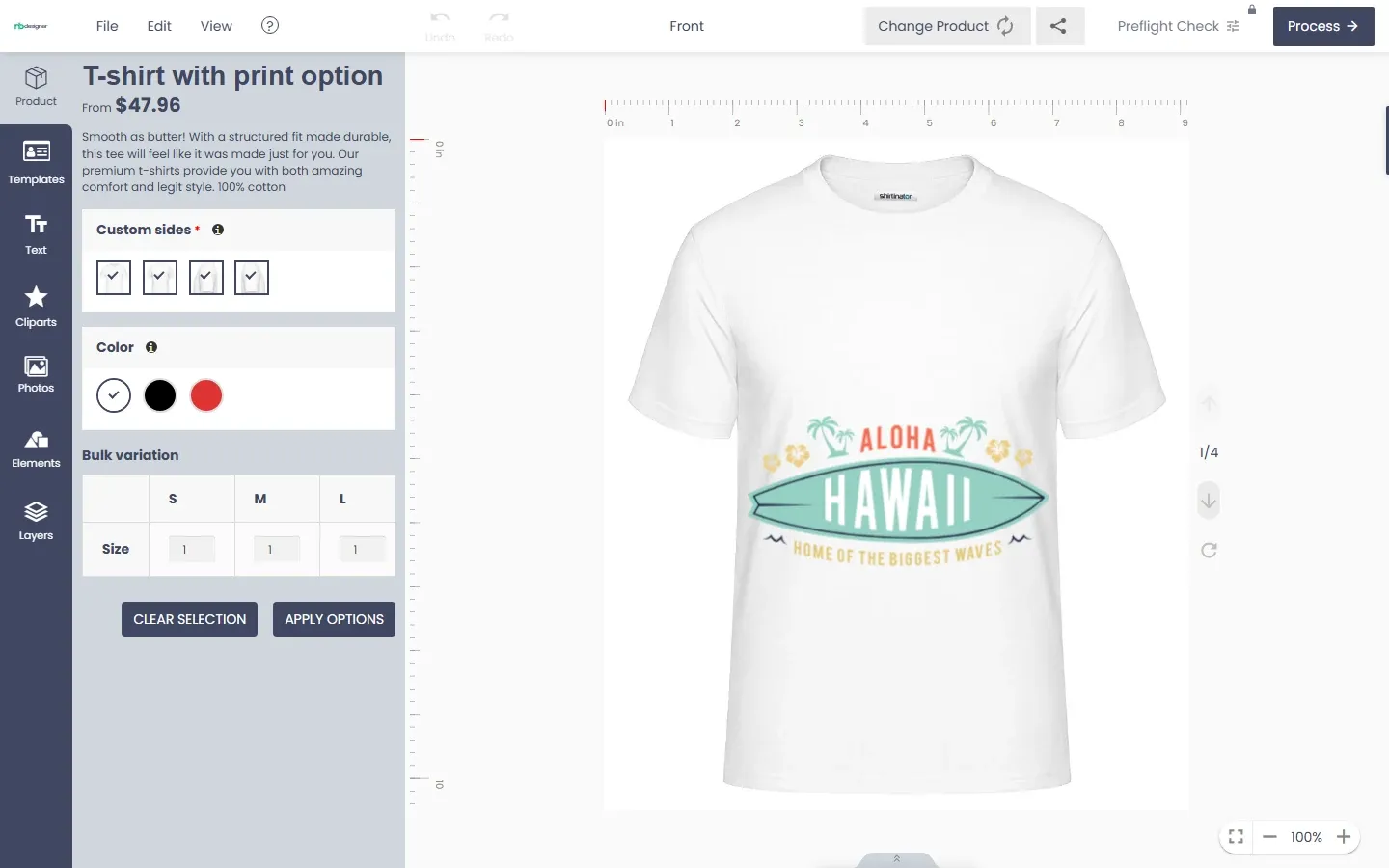
Woocommerce custom product designer is a premium plugin developed by Cmsmart. It is beneficial for both printing shop owners and their customers. No matter what your 'job' is, NBdesigner has all the tools you need to draw your idea quickly without designing skills. Using this plugin, customers can design any type of product without any limitation and can customize their products in the store. We provide an available library for templates, elements, images that you cannot miss at our WooCommerce Online design Tool.
In the previous article, we shared How To Use Woocommerce Product Designer In The Frontend? and today will discuss How to design a product with WooCommerce product designer plugin? First, you go to the website and choose any product that you like. Then, you click on “Start Design”. Right now, you go to a product designing page where you can personalize your products by using text, quotes, templates, clipart, or custom image which you can upload from their computer or mobile device.
Some outstanding features of NBdesigner
Option group configuration: Allows to group fields which are similar to make them more easily to see and understand.
Step by step configuration: Displays the headings of the fields so that users can have an overview of product options.
Delivery date: Delivery date and fixed price for each day will be quickly configured, customers can view the amount of money that corresponds to the number of products.
Artwork action: Allows customers to easily choose requirements on any pages.
Qr code- Vcard: Easily scan the QR code, you can get all the information by scan the QR code by your mobile.
Design guideline: Specific standards and requirements for designs are predetermined by Shop Owner which easily comes to customers.
Template Mapping Feature: This feature will map information if you are logging in, otherwise, it will create a dialog box to quickly enter information.
Advance Get quote Feature: Besides getting a quote for each product, now you can get a quote for multiple products at the same time when you are at the checkout stage.
Template filter Feature: Allows you to easily and quickly filter designs by tag and color on the gallery page.
Tutorial video design a product with online Product Designer
How to design a product with Woocommerce product designer plugin?
Above are some new Highlight Features of Online Product Designer. Hopefully, the article has brought some useful information for you. If you have any questions, feel free to feedback here. My colleagues and I are willing to support you. If you want to have more experience in our products, please access the link: Demo. Remembering to use coupon code MAR_DL to get 18% discount for this item.
Best regards.
Have a nice day!