
Guide · B2B
WooCommerce Amazon Etsy Sync: Stock and Orders
WooCommerce Amazon Etsy sync guide: keep stock and orders right across channels, avoid overselling, and get a custom integration quote.
Custom bag design software for WooCommerce: Cmsmart Product Designer adds live pricing and print-ready files. See how to set it up.
Table of contents
Was this tutorial helpful?
Written by
Cmsmart B2B Commerce & Operations Consultant
Designs B2B ordering, marketplaces and the operations behind them.
The team behind it
 Account Manager
 Project Manager
 Business Analyst
 Developers & QA
Guide · B2B
WooCommerce Amazon Etsy sync guide: keep stock and orders right across channels, avoid overselling, and get a custom integration quote.
Guide · B2B
Set up a WooCommerce request a quote B2B workflow: price matrix, approval, and one-click conversion to order. Plan yours today.
Guide · B2B
WooCommerce B2B pricing: give wholesale buyers tiered prices, customer groups and account approval. See what the plugin does today and get a custom qu...
Browse more guides, tutorials and case studies from the Cmsmart community.
Car wrap design software for WooCommerce: panel templates, size-based pricing, 3D preview and approval before you print. Plan your wrap store now.
Read MoreDiscover how the home décor industry is transforming with the rise of personalized products and the challenges retailers face. Learn how CMSmart's Product Builder offers a solution, improving customer engagement, reducing return rates, and increasing sales through real-time 3D previews and automated processes.
Read MoreSelling custom phone cases online is challenging with issues like cart abandonment and high return rates. Learn how CMSmart’s Product Builder helps streamline operations, reduce returns, and boost sales for your custom phone case business. Start today!
Read More
Cmsmart Ecommerce provides custom ecommerce and WooCommerce development services for web-to-print, product personalization, plugin support and API integration.
Cmsmart B2B Commerce & Operations Consultant
Designs B2B ordering, marketplaces and the operations behind them.
Meet the team →



In short
A custom bag buyer wants to see their initials on the strap or their logo on the front panel before they pay, not after a round of back-and-forth email proofs. A print shop or promo distributor selling tote bags, backpacks or drawstring bags still running that process loses orders to the moment a customer gets bored waiting for a mockup. Custom bag design software for WooCommerce closes that gap.
This guide covers what a bag customizer built on Cmsmart Product Designer does today, what manual proofing costs instead, and where custom development takes it further: 3D previews, AI-assisted checks, and production systems wired to your ERP.
What does running a custom bag business on manual proofs really cost you?
Email-based bag customization costs staff time on every order: a buyer describes what they want, someone mocks it up, the buyer asks for a change, and the order sits unpaid until the proof is approved. Cmsmart Product Designer removes that loop by putting a live editor and price on the product page itself.
Talk to any shop that takes custom bag orders by email and the same five pains come up:
Put a number on it with your own figures: if you process N custom bag orders a month and each one costs M minutes of manual proofing and quoting at an hourly staff rate of R, the monthly cost of staying manual is
N × M ÷ 60 × R— 20 staff-hours a month at 60 orders and 20 minutes each.What could your custom bag store look like?
With Cmsmart Product Designer on the Bag product, a buyer opens the design tool from the product page, places their art or a template, watches the price update, and pays — no email round-trip, and the order lands in your queue with a print-ready file attached.
Example scenario. A buyer on a promo-products store opens a tote bag product at 9pm on a phone, taps Design here online, drops in a company logo, picks a strap color, and watches the per-unit price update as they bump the quantity from 25 to 100. They add it to the cart, the design preview rides along through checkout, and they pay without talking to anyone. The next morning the shop opens Cmsmart → Orders and finds a print-ready PDF already generated against the exact dimensions of the bag they chose, waiting in the queue instead of a half-finished email thread.
How does custom bag design software for WooCommerce work?
Cmsmart Product Designer wires four things to a WooCommerce product: the storefront entry point, the online canvas, a printing-options/pricing engine and a print-ready output pipeline, so a buyer's finished bag design becomes a production file without anyone re-typing anything.
The building blocks, in the order a bag order moves through them:
Cmsmart insight: most reprints we see on soft goods like bags come from treating the print area as a flat rectangle instead of the finished, sewn shape. Before a bag product goes live, check the design area against the actual gusset, strap width and seam allowance — not just the flat mockup image — so what the buyer previews is what gets printed.
What's the business value of a bag customizer, and what should you track?
A bag customizer built on Cmsmart turns a quote-and-wait sale into a self-serve one, which shows up as fewer abandoned custom-order carts, less staff time per order and fewer reprints from dimension mismatches — each one trackable against a plain KPI.
ROI worksheet (use your own numbers): monthly hours saved = orders/month × (current manual minutes per order − minutes with self-serve design) ÷ 60. Multiply by your fully-loaded hourly staff cost for a monthly saving, then weigh it against reprint cost avoided = (current reprint rate − expected reprint rate) × orders/month × average reprint cost.
Custom bags sit inside a personalization market that keeps growing: the global tote bags market reached an estimated $2.9 billion in 2025, projected to reach $4.1 billion by 2034 (IMARC Group, 2025), and the broader personalized-gifts category is projected to grow by a further $10.76 billion between 2025 and 2029 (Technavio, 2025). Personalization moves conversion too: brands in the most mature tier of a 2024 Deloitte Digital/Meta study reported conversion rates 16 points higher than the least mature tier (Deloitte Digital for Meta, 2024).
How do you set up a bag product with Cmsmart Product Designer?
Setting up a custom bag product means installing Cmsmart Product Designer, turning the designer on for your Bag product, configuring its print area and printing options, then walking the buyer flow yourself before it goes live — all in wp-admin, no code required.
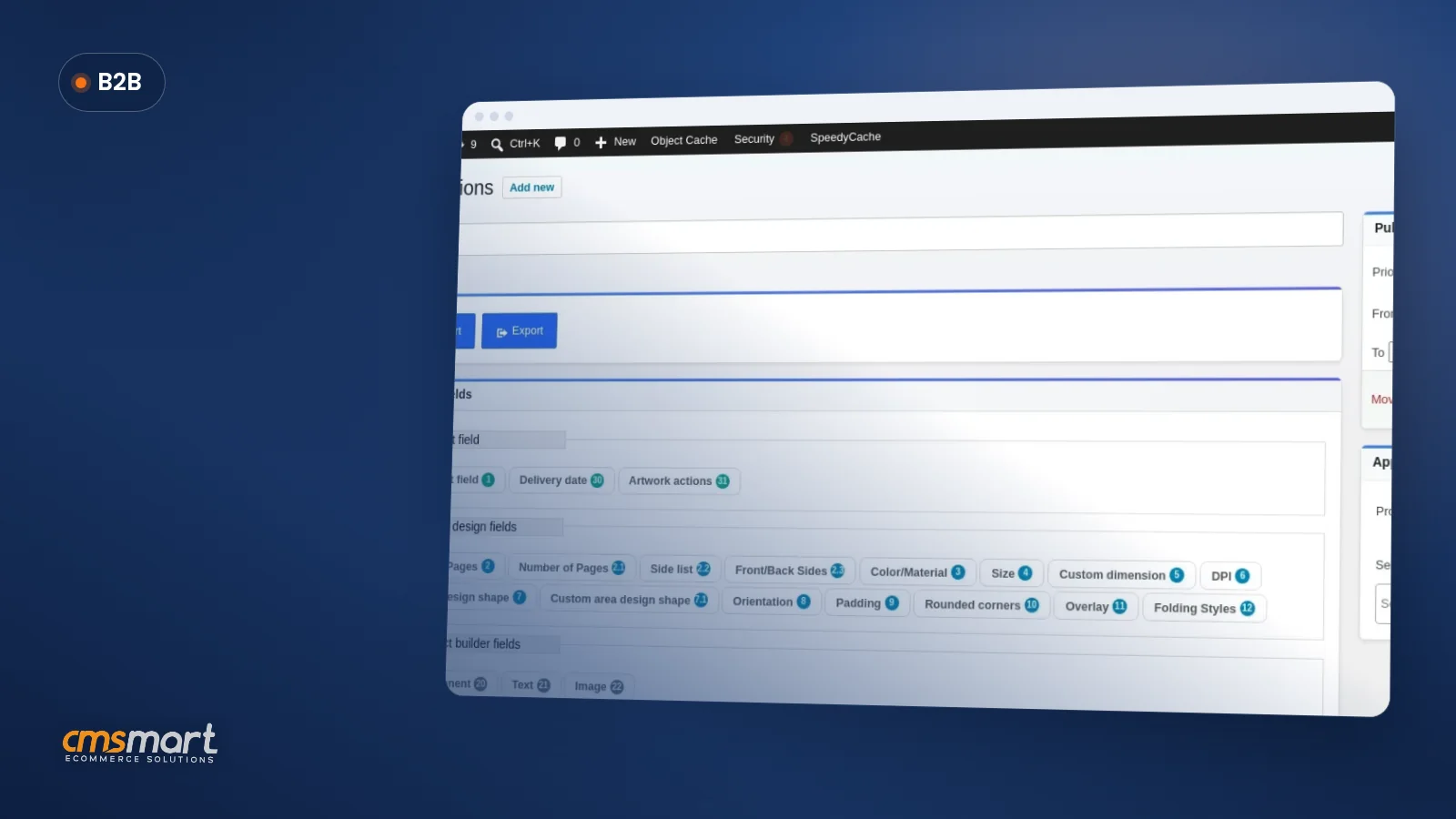
For settings you won't touch often — DPI defaults, ICC profiles, the full Printing Options field list — the Printing Options and price matrix guide covers every field in depth, and the Cmsmart Product Designer plugin page has the full feature list and pricing, so this walkthrough can stay focused on the bag product itself.
Going further with custom development for a bag business
Once the base designer is live, Cmsmart's custom development team can extend it with a 3D bag preview, AI preflight tuned to your print process, and production systems wired to your ERP or fulfillment partner — work the base plugin doesn't do on its own.
Four extensions we build most often for bag and soft-goods sellers:
Every custom build follows the same delivery path: discovery, solution design, sprints, QA, launch and ongoing support — see how we run it on Ecommerce Projects.
Get a custom bag customizer quote
Why work with Cmsmart on your bag store?
Cmsmart has built ecommerce and web-to-print projects since 2012 as a Netbase JSC division, with Product Designer customization as one of its core service lines, verified reviews, and published project case studies a prospective bag seller can check before signing anything.
Some figures worth checking yourself: 6,300+ client projects and 1,800+ live stores since 2012, across 80+ countries, and a 4.2-star Trustpilot rating from 404 reviews. Two recent reviews:
See more delivered work on our project case studies, browse client proof, or read how we scoped a similarly specific use case in our car wrap ecommerce case study. For the wider web-to-print picture, start at the Web-to-Print hub.
Frequently asked questions
Does Cmsmart Product Designer already support bag products?
Yes. The plugin's product manager includes a Bag product type, the same online designer used on every other product, so turning it on is a configuration step, not custom development.
Can buyers upload their own logo instead of using the editor?
Yes. The Upload a full design option on the product page lets a buyer upload a finished file; Settings → Upload design controls which file types, sizes and minimum DPI you accept.
How long does it take to set up one bag product?
Turning the designer on, setting production specs and printing options for a single bag product is typically an afternoon's work; a full bag catalog with custom pricing rules is a short project — see the Ecommerce Projects delivery model.
Do we need a 3D preview to sell custom bags?
No. The base designer with a well-configured flat print area is enough to launch; a 3D preview is an optional custom build for stores that want a stronger see-it-before-you-buy-it moment.
Can this connect to our ERP or fulfillment partner?
Not out of the box. The plugin produces the print-ready PDF; wiring that into an ERP or fulfillment system is custom development, scoped per project.
Ready to put your bag catalog on a designer that pays for itself in staff time?
Tell us about your bags, materials and current ordering process, and we'll scope what the base plugin covers and what's worth building as custom development.
Plan my custom bag store See the Product Designer customization service