


Guide · Web-to-print
Custom Tote Bag Printing Business with WooCommerce
Run a custom tote bag printing business with Cmsmart Product Designer: live pricing, real print specs and a print-ready PDF. See how to set it up.
Compare product design tools for online store owners: Cmsmart vs Zakeke, Fancy Product Designer and Lumise on features, pricing and print output.
Table of contents
Was this tutorial helpful?
Written by
Cmsmart Product Designer Plugin Engineer
Builds and supports the Cmsmart Product Designer (NBDesigner) for WooCommerce.
The team behind it
 Account Manager
 Project Manager
 Business Analyst
 Developers & QA
Guide · Web-to-print
Run a custom tote bag printing business with Cmsmart Product Designer: live pricing, real print specs and a print-ready PDF. See how to set it up.
Guide · Web-to-print
Sell custom t-shirts online WooCommerce with a live designer, instant pricing and print-ready PDFs. See how to set it up.
Guide · Web-to-print
Sell custom stickers online with WooCommerce: size and quantity pricing, bleed-safe artwork, and print-ready files for die-cut decals. Get a quote tod...

Cmsmart Ecommerce provides custom ecommerce and WooCommerce development services for web-to-print, product personalization, plugin support and API integration.
Cmsmart Product Designer Plugin Engineer
Builds and supports the Cmsmart Product Designer (NBDesigner) for WooCommerce.
Meet the team →

In short
Choosing between product design tools for online store owners usually comes down to four names: Cmsmart Product Designer (NBDesigner), Zakeke, Fancy Product Designer and Lumise. Cmsmart bakes a browser-based editor, a price matrix and print-ready PDF output (PRO license) into one WooCommerce plugin, while the other three trade off hosting model, price and production depth in different ways — this guide scores all four on the same sourced evidence.
Choose Cmsmart if you run WooCommerce and want the design tool, the price matrix and print-ready output under one roof, with a team on hand to build what the core plugin doesn't. Choose Zakeke if you sell on several platforms and want a SaaS configurator with 3D and AI tooling built in. Choose Fancy Product Designer if you run one WooCommerce site and want the lowest up-front cost for a self-hosted editor. Choose Lumise if your priority is a deep clipart and template library with Printful fulfilment already wired in. Choose a fully custom build instead if your catalogue needs a 3D/AR configurator or ERP-driven B2B ordering that none of the four ship out of the box.
What does the wrong product design tool cost your store?
Cmsmart Product Designer removes the manual back-and-forth a weak customization setup creates: fewer proofing emails, fewer mis-sized uploads, and a price matrix that quotes the job correctly the first time, so your team spends less time babysitting orders and more time producing them.
Most WooCommerce stores that bolt on a tool and skip the groundwork — no upload rules, no output profile, no documented price matrix — pay for it later in three places: staff time spent re-asking customers for a print-ready file, reprints from a design nobody actually approved, and abandoned carts when a customer can't tell what their order will look like before they pay. None of this shows up as a line item, but it shows up in your week.
Cmsmart insight: in our delivery work, the orders that come back for a reprint are almost always the ones where nobody locked the artwork after approval — a cheap safeguard a plugin can enforce automatically instead of relying on someone remembering to say no.
Run your own numbers: proofing emails per order × minutes per email × your hourly rate is a real cost before you count a single reprint. A product design tool for online store teams should shrink that formula, not add a step to it.
What would a modern design-to-production flow look like?
Picture a buyer opening your invitation or apparel product at 10pm, designing in the browser or uploading finished art, paying, and leaving — while Cmsmart queues a print-ready PDF behind the scenes so your morning starts with a stack of files ready for the press, not a stack of emails asking for them.
Example scenario: a print shop's storefront shows "Upload a full design" or "Design here online" on the product page. A buyer designs online, adds to cart, and checks out. The order lands in Cmsmart > Orders already linked to that design. The shop reviews the artwork in the Customer Design box, approves it, and the print-ready PDF is already rendering by the time anyone opens the order.
That flow is not aspirational — it is what the current plugin does today, end to end, for a WooCommerce store. The gap between "looks like this" and "is theory" is the rest of this guide. If you're still mapping out the basics, see our guides on WooCommerce product customization and building a web-to-print storefront.
How we compared Cmsmart, Zakeke, Fancy Product Designer and Lumise
Cmsmart scored all four products on the same criteria — design editor depth, print-ready output quality, pricing flexibility, B2B features, AI tooling, hosting model, integrations and total cost — using each vendor's own published pages and marketplace listings rather than opinion.
We weight each criterion differently, from heaviest to lightest, using only evidence we could verify. Design editor and product-type range carries the heaviest weight in our rubric, because it decides whether a shopper can actually build what they want. Print-ready output quality carries the next-heaviest weight — a design that looks right on screen is worthless if the PDF doesn't match it. Pricing flexibility, B2B ordering, AI tooling, hosting/performance, integrations and total cost each carry a moderate weight, and support/documentation carries the lightest weight. We tested Cmsmart on the live demo at nbdesigner.cmsmart.net (plugin version 2.18.0; feature behavior cross-checked against the 2.17.0 changelog, the latest published). WooCommerce itself runs on more than 7 million active installations according to WordPress.org (accessed October 9, 2026), so the stakes of picking the right design tool are real. Where we could not confirm a competitor claim on an official page, the feature table says "not verified" instead of guessing.
What's the business value, and what will it actually cost you?
Cmsmart's value shows up as fewer proofing emails, fewer reprints and a price matrix that quotes correctly the first time; track it with three KPIs — reprint rate, average time-to-approve a design, and cart abandonment on customizable products — before and after you tighten the setup.
Total cost of ownership is not just the sticker price: TCO ≈ (plan or license fee) + (orders per month × any per-order or transaction fee) + (hosting, if the tool is self-hosted) + (setup and custom-development time × your team's hourly cost). Example inputs: a shop processing a few hundred customized orders a month on a SaaS tool with a per-sale fee pays that fee on every one of those orders, every month, for as long as it sells; a shop on a self-hosted, one-time-licensed plugin pays once for the license and then only for setup time and any custom development it chooses to commission.
How do these product design tools for online store teams compare, feature by feature?
Side by side, Cmsmart Product Designer covers the WooCommerce buyer-to-print-file flow natively, Zakeke adds SaaS breadth and 3D/AI tooling across many platforms, and Fancy Product Designer and Lumise cover a narrower, self-hosted WooCommerce feature set at a lower up-front price.
How does Cmsmart's architecture solve this, end to end?
Cmsmart Product Designer wires the storefront, the online editor, the price matrix and print-ready output together inside WooCommerce, so a design a shopper builds on the product page is the same file your press receives — with anything beyond that core flow available as custom development.
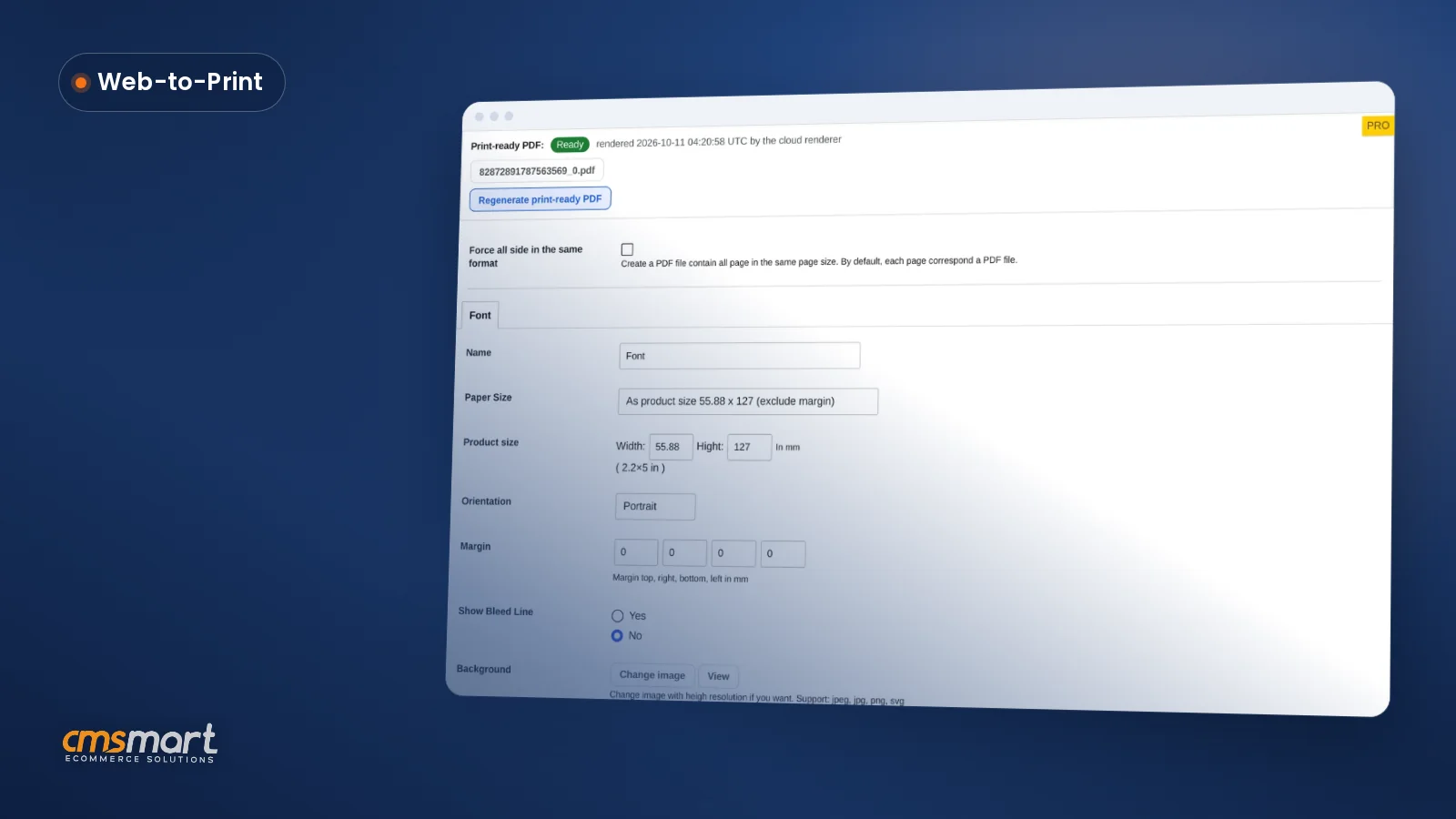
The flow runs in order: storefront product page → "Upload a full design" or "Design here online" chooser → the browser editor (templates, text, cliparts, layers) → price matrix / printing options → cart and checkout → Cmsmart > Orders and the Customer Design approval box → Create PDF / print-ready PDF via Cmsmart Cloud → downloadable production files. Every step up to the Customer Design approval box runs in the free core plugin; print-ready PDF rendering is part of the paid PRO license, and B2B approval chains, ERP/MIS sync and 3D/AR previews are custom development built on top of it.
How do you set up an online product designer on WooCommerce?
Setting up Cmsmart Product Designer means installing the plugin, defining upload and output rules, building your price matrix, and testing the buyer and admin flow once end to end before you turn it on for real orders.
What can Cmsmart build on top of the core plugin?
Cmsmart builds the features the core plugin doesn't ship as custom development: 3D and AR configurators, B2B approval and quoting workflows, ERP/MIS and print-API integrations, and catalogue-specific pricing logic, each scoped to your store and delivered by the team that maintains the plugin itself.
Cmsmart's delivery model is discovery → solution design → sprints → QA → launch → support, the same process behind every published Cmsmart project.
Plan my custom product designer build
Where Zakeke Wins
Zakeke earns its place for brands that sell across multiple platforms and want 3D configuration or AI-generated mockups without a developer: it ships integrations for ten-plus platforms and AI tooling that Cmsmart treats as custom development today.
Zakeke's own product pages (accessed October 9, 2026) list a 3D Product Configurator, an AI Agent Studio for generative mockups and renders, and Virtual Try-On for eyewear, jewelry and accessories, plus integrations spanning Shopify, WooCommerce, Wix, Adobe Commerce, BigCommerce, Prestashop, OpenCart, Etsy, Shopware and Amazon. That breadth is real, and it is the clearest gap between Zakeke and Cmsmart's WooCommerce-only core — we build 3D/AR and multi-platform work as custom development rather than shipping it by default.
Per Zakeke's pricing page (accessed October 9, 2026), Starter costs $59/month billed annually ($69.90 monthly) with a 1.9% transaction fee, Grow costs $110/month annually with a 1.7% fee, and Scale costs $255/month annually with a 1.5% fee; every tier adds a 14-day free trial and $4.90/month per extra seat, and Enterprise drops the transaction fee to 0% in exchange for a custom quote. That is the trade-off: real breadth, but a recurring fee on every sale and design data stored on Zakeke's cloud rather than your own server.
Where Fancy Product Designer Wins
Fancy Product Designer wins on raw up-front price: it is a one-time-purchase WordPress/WooCommerce plugin sold on Envato's CodeCanyon marketplace, with no recurring subscription or per-sale fee, which suits a single small store on a tight budget.
Per its CodeCanyon listing (accessed October 9, 2026), the Regular License costs $19 as a one-time fee, the item has 23,465 sales and a 4.46-star rating from 818 ratings, and it was last updated 9 June 2026. Its author, radykal (accessed October 9, 2026), holds Power Elite Author status with 57,761 sales across their catalogue since joining Envato in July 2009.
What we could not verify from an official source: mobile responsiveness, a dedicated price-matrix UI, and print-ready PDF/CMYK output — fancyproductdesigner.com did not return readable content for us to confirm these claims against, so the feature table marks them "not verified" rather than guessing either way.
Where Lumise Wins
Lumise wins on content depth for a WooCommerce print-on-demand storefront: a large clipart and template library plus a built-in Printful integration let a shop go from "install" to "selling personalized merchandise" faster than building that fulfilment link from scratch.
Lumise's own pricing page (accessed October 9, 2026) lists the core plugin at $69/year (list price $99/year) with add-on bundles from $49.99 to $186/year, automatic 300 DPI print-ready file generation, and support for DTG, silkscreen, sublimation and embroidery production. Its separate CodeCanyon listing (accessed October 9, 2026) sells a Regular License for $99 one-time with 13,515 sales and a 4.79-star rating from 900 ratings, last updated 16 July 2026 — a second, inconsistent price point for the same product. On the Shopify App Store (accessed October 9, 2026), the same company's app carries a 3.9-star rating from 43 reviews.
Why work with Cmsmart instead of a one-size SaaS tool?
Cmsmart has built web-to-print and product-customization storefronts since 2012 as a Netbase JSC division, which means the same team that maintains the plugin also builds the custom development most of these comparisons eventually need — one relationship instead of a plugin vendor plus a separate agency.
Cmsmart has delivered 6,300+ client projects since 2012, with 4,600+ projects delivered and 1,800+ stores live today across 80+ countries, including 500+ custom development projects — figures Cmsmart publishes and stands behind. Independent reviewers rate Cmsmart 4.2 out of 5 on Trustpilot (404 reviews).
See real delivery work at Cmsmart's project case studies and the Cmsmart Product Designer product page for current plans.
What does switching from Zakeke, Fancy Product Designer or Lumise to Cmsmart involve?
Moving to Cmsmart from any of the three means re-creating products, price options and design templates on Cmsmart Product Designer while keeping your WooCommerce catalogue and order history intact — past customer designs saved in the old tool's own format are the one part that typically needs to be rebuilt by hand instead of carrying over automatically.
What moves with minimal rework: your WooCommerce products, categories, customers and order history, since none of the three products you're comparing control WooCommerce itself. What has to be rebuilt: design areas and print zones per product, your price matrix or option rules, any saved templates, and (for Fancy Product Designer or Lumise customers) your output/PDF settings in the new plugin's own screens.
Cmsmart's switch-from-Fancy-Product-Designer service and store setup service cover this migration end to end.
Get a free migration assessment
Sources and revision log
Every competitor fact in this comparison traces to an official pricing, marketplace or review page we opened ourselves, each listed below with the date we checked it, so you — or a future update — can re-verify every number against the same page. Zakeke, Fancy Product Designer and Lumise are trademarks of their respective owners; named here for comparison only.
Revision log: this page replaces the 2022 "best product design tools" listicle with a sourced, scored comparison. First published 2022; rewritten October 9, 2026.
Frequently asked questions
Is Cmsmart Product Designer free to try?
Cmsmart offers a free version of the plugin so you can test the editor and settings before buying a paid license; see the product page for current plans.
Does Cmsmart work on platforms other than WooCommerce?
The core plugin is built for WooCommerce. Multi-platform or headless storefronts are custom development Cmsmart builds for stores that need to sell the same design experience on another platform.
Can I move my Zakeke, Fancy Product Designer or Lumise products to Cmsmart?
Your WooCommerce products, customers and order history move with the store regardless of which design plugin you used. Design areas, price rules and saved templates need to be rebuilt in Cmsmart Product Designer — see the migration section above.
Does Cmsmart generate true print-ready files?
Yes — the plugin renders a print-ready PDF that matches what the buyer designed, with CMYK and ICC profile export, through Cmsmart Cloud or your own server. Print-ready PDF rendering is a paid PRO license feature, not part of the free plugin version.
Who owns the design and customer data?
Cmsmart Product Designer is self-hosted on your own WordPress install, so designs and customer data stay on your server. SaaS tools such as Zakeke store that data on their own cloud instead.
How long does a custom development project take?
It depends on scope. Cmsmart runs discovery, solution design, sprints, QA, launch and support in sequence for every custom build, the same process behind Cmsmart's published project work.